
How to Pick the Best AI for Homework (One That Actually Teaches You)
The “best AI for homework” is not the one that spits out an answer fastest — it is the one that shows you how to get there, so you can do it yourself on test day. A good homework AI walks through the reasoning instead of handing you a finished number to copy, which is the difference between passing tonight’s assignment and actually understanding the material by Friday’s quiz.

This guide is a how-to-choose guide, not a ranked list of apps. We’ll cover the criteria that separate a learning tool from an answer machine, and how different tool types fit different needs — because the right pick depends far more on what you’re asking for than on which brand name is loudest.
The one rule: the best homework AI teaches, it doesn’t just answer
An AI homework helper earns its place on your phone by doing one thing consistently: it shows step-by-step explanations instead of a bare final answer. That single habit is what separates a study partner from a vending machine, and it’s the filter to run every other feature through. If a tool can’t or won’t explain itself, no amount of speed or polish makes up for it.
Some vendors claim their tool helps students finish homework up to 30% faster — treat that kind of number as a marketing claim to weigh, not a guarantee, since speed alone says nothing about whether anything was learned. The honest framing that should sit underneath every homework AI you try is simple: learn, don’t just finish.
Answer machine vs. study partner
The difference between an answer machine and a study partner isn’t the model powering it — it’s how you use the session. Copy-pasting a final number is a shortcut that evaporates by test day; working through the reasoning with the AI, then closing the tab and trying a similar problem alone, is what actually sticks. The measure of a good session is simple: could you re-solve a similar problem tomorrow without the AI open at all?
A soft word on integrity
Using AI to understand a concept is fine. Submitting AI output as your own original work is academic dishonesty, and that line doesn’t move just because a tool made it easy to cross. The International Center for Academic Integrity frames the core idea as a commitment to six values in your work — honesty, trust, fairness, respect, responsibility, and courage — a useful gut-check whenever a homework AI session starts drifting from “help me understand” toward “just give me the paragraph.” Check your school’s specific policy too, since schools vary widely on what counts as acceptable AI use. Read more from the International Center for Academic Integrity.
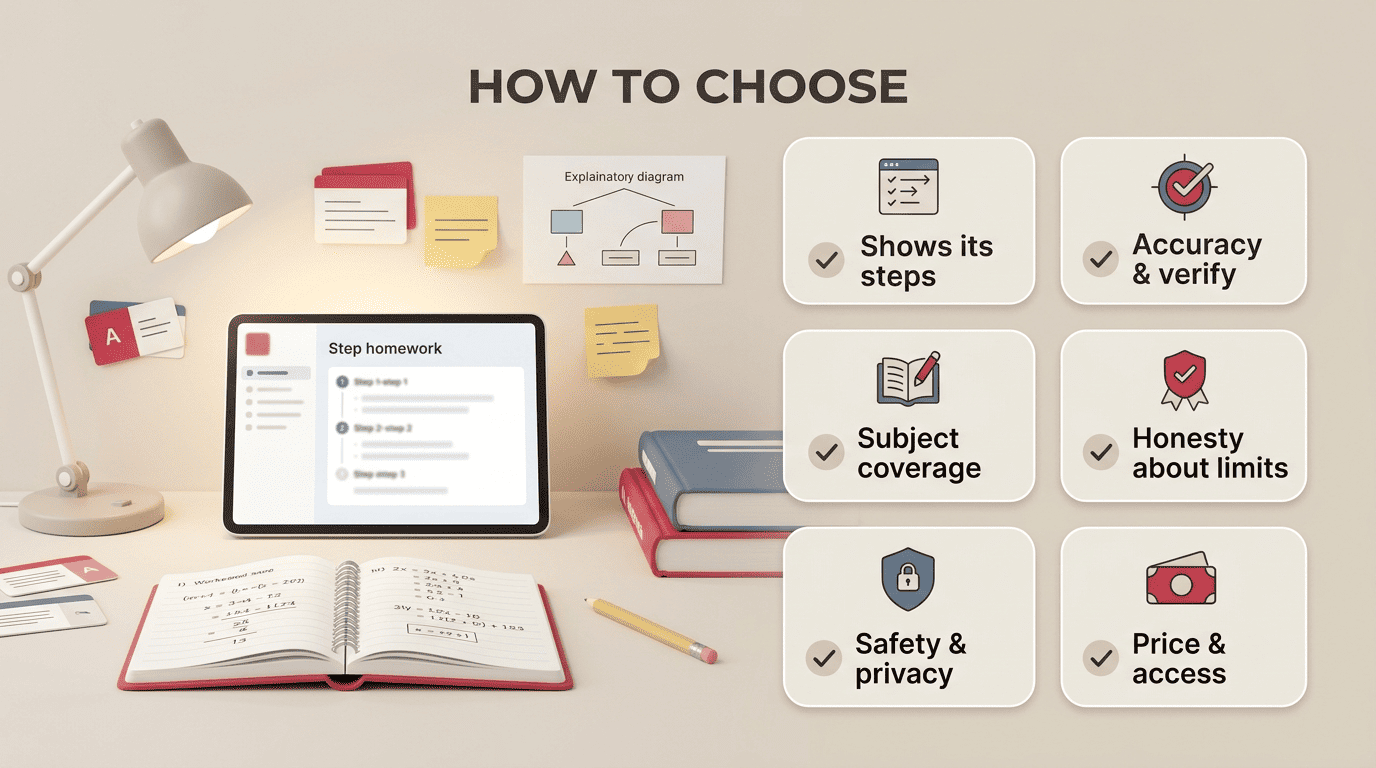
6 criteria that make a homework AI good for learning
Picking a homework AI gets a lot simpler once you stop comparing brand names and start checking a short list of concrete traits. Here are the six that separate a tool worth keeping from one that’s quietly teaching you nothing:
- Shows its steps or reasoning — not only the final answer, but the path to get there.
- Accuracy and verification — can you tell if it’s right, and does it point to sources or show its work so you can check?
- Subject coverage — math, sciences, humanities, and languages, not just one narrow lane.
- Honesty about limits — does it say “I’m not sure” when it should, instead of confidently hallucinating a wrong answer?
- Safety and privacy — what happens to a student’s data once it’s typed into the chat box.
- Price and access — a usable free tier, clear limits, and whether an account is even required.
One independent review of AI homework tools weighted accuracy and clarity of explanation at roughly 30% each, with ease of use, multimodal support, and pricing splitting the rest — a rough but useful reminder that accuracy and clear reasoning should carry the most weight in your own comparison too.
Why “shows its steps” beats “gives the answer”
Take a math problem as the clearest example: Photomath shows the steps of a solution, while a good general chatbot goes further and explains why each step works, not just what it is. That “why” is the part that transfers to a test, where you won’t have the tool open and will need the method in your own head instead of on your screen.
Why accuracy needs YOUR verification
Independent testing of AI tools on schoolwork-style problems consistently finds a pattern worth remembering: error rates climb noticeably on advanced, multi-step STEM problems and stay much lower on simple, single-step ones. Exact numbers vary by tool, subject, and test set, so treat any specific figure you see as a snapshot from one comparison, not a universal guarantee. The practical takeaway holds regardless of the exact number: always double-check the output, especially on anything advanced, multi-step, or easy to get subtly wrong.
Table: the 6 criteria at a glance
| Criterion | What “good” looks like | Red flag |
|---|---|---|
| Shows its steps | Full worked reasoning, not just a final number | Answer only, no explanation offered |
| Accuracy & verification | Cites sources or shows checkable work | Confident tone with no way to verify |
| Subject coverage | Handles math, science, humanities, languages | Locked to one narrow subject only |
| Honesty about limits | Says “I’m not sure” when it should | Always sounds 100% certain |
| Safety & privacy | Clear, readable data policy | Vague or missing privacy terms |
| Price & access | Usable free tier, clear limits | Paywall before you can even test it |
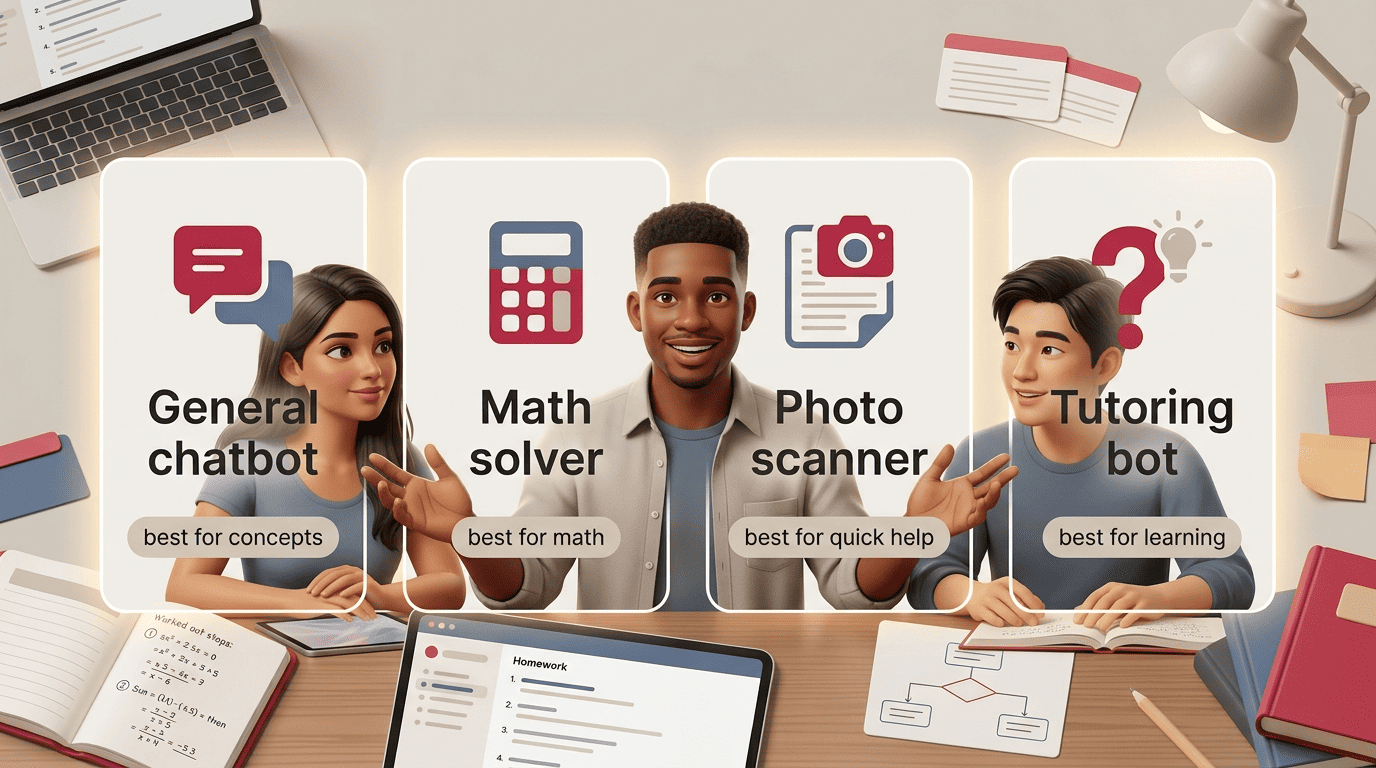
The main tool types (and who each one is for)
The “best” AI for homework depends far more on what you’re asking it to do than on which brand you pick — a tool built for scanning a math equation isn’t built for outlining an essay, and vice versa. Matching tool type to your actual need matters more than chasing a name.
General chatbots (ChatGPT, Gemini, Claude)
Tools like ChatGPT, Google Gemini, and Anthropic Claude cover every subject, explain concepts in plain language, help draft essay outlines, and increasingly accept multimodal input like a photo of a worksheet or a PDF of a reading. The upside is flexibility — one tool for math, history, and English alike. The downside is that a general chatbot can sound just as confident when it’s wrong as when it’s right. Best for: understanding concepts, humanities work, and planning an essay before you write it.
Math solvers & scanners (Photomath, Wolfram Alpha)
Point a camera at an equation and a math solver like Photomath returns a step-by-step solution built specifically for that kind of problem. Wolfram Alpha works differently — it’s a computational engine, not a chatbot, and it tends to be precise on calculations because that’s the one thing it’s built to do. Best for: math specifically, where you want exact, reliable steps rather than a conversational explanation.
Photo scanners / all-subject solvers (Google Lens, Gauth)
Snap a photo of a homework problem and tools like Google Lens or Gauth return an explanation, often across multiple subjects rather than just math. Google Lens’s homework help grew out of Socratic by Google, the standalone app Google folded into Lens in late 2024 — the multi-subject, photo-first approach lives on, just inside an app most students already have. It’s free, which makes it a reasonable first stop before reaching for a paid option. Best for: a quick, no-cost first pass at an unfamiliar problem.
Guided tutoring bots (Khanmigo, Brainly AI)
Khanmigo, Khan Academy’s tutoring bot built on GPT-4, is designed to withhold the direct answer and instead lead you toward it with guiding questions — a version of the Socratic method applied to homework help. Sal Khan has described the goal behind this approach in blunt terms: giving every student access to something closer to a personal tutor, not a shortcut machine. Best for: students who genuinely want to learn the material, not just get past tonight’s assignment — this is where an AI homework helper earns the “helper” part of its name instead of just being an answer key.
And the way we’re going to do that is by giving every student on the planet an artificially intelligent but amazing personal tutor.
Sal Khan, TED Talk: How AI Could Save (Not Destroy) Education
Table: tool types compared
Laid side by side, the four tool types make the trade-offs easier to see at a glance — flexibility versus precision, speed versus depth. Use it as a quick reference the next time you’re deciding which kind of homework AI actually fits the problem in front of you, rather than defaulting to whichever app you already have installed.
| Tool type | Example tools | Best subjects | Strength | Watch out for |
|---|---|---|---|---|
| General chatbot | ChatGPT, Gemini, Claude | All subjects, essays | Flexible, explains concepts | Can sound confident while wrong |
| Math solver | Photomath, Wolfram Alpha | Math, calculations | Precise, step-by-step | Weaker on non-math subjects |
| Photo scanner | Google Lens, Gauth | Quick, all-subject | Fast, often free | Explanations can be shallow |
| Tutoring bot | Khanmigo, Brainly AI | Concept mastery | Teaches by asking questions | Slower than getting a direct answer |
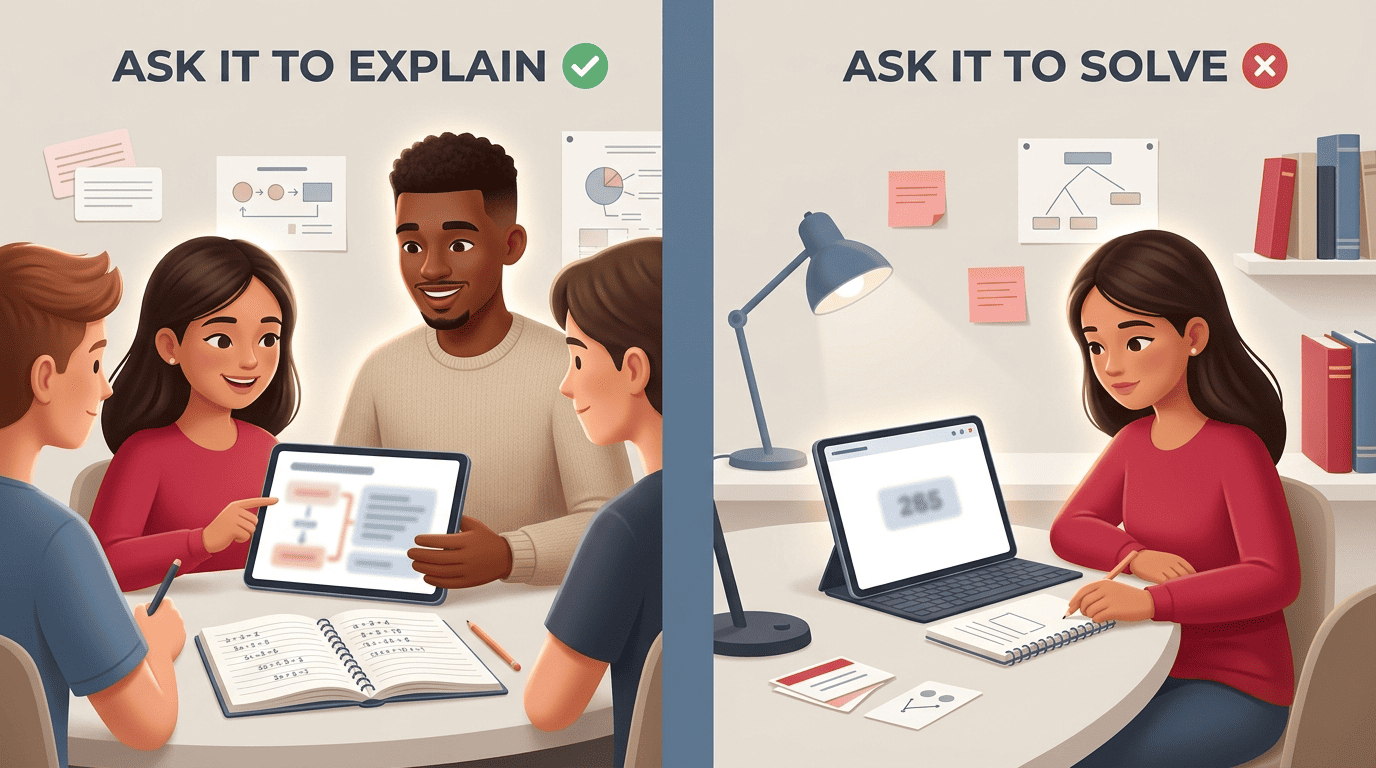
How to actually use a homework AI to learn (not cheat)
The tool matters less than the habit you build around it. A handful of small choices decide whether a session teaches you something or just gets tonight’s assignment off your plate.
Do
- Ask it to explain the concept, not solve the problem outright.
- Re-solve the problem yourself once the explanation makes sense.
- Ask “why” on every step until the logic actually clicks.
- Check the AI’s answer against your class notes or textbook.
- Use it for feedback on a draft you already wrote yourself.
Don’t
- Paste AI output into your assignment and submit it as your own.
- Trust a confident-sounding answer without checking it.
- Skip past the reasoning to grab just the final number.
- Share personal or identifying information in a homework chat.
- Use it on closed-book work or assignments where it’s explicitly banned.
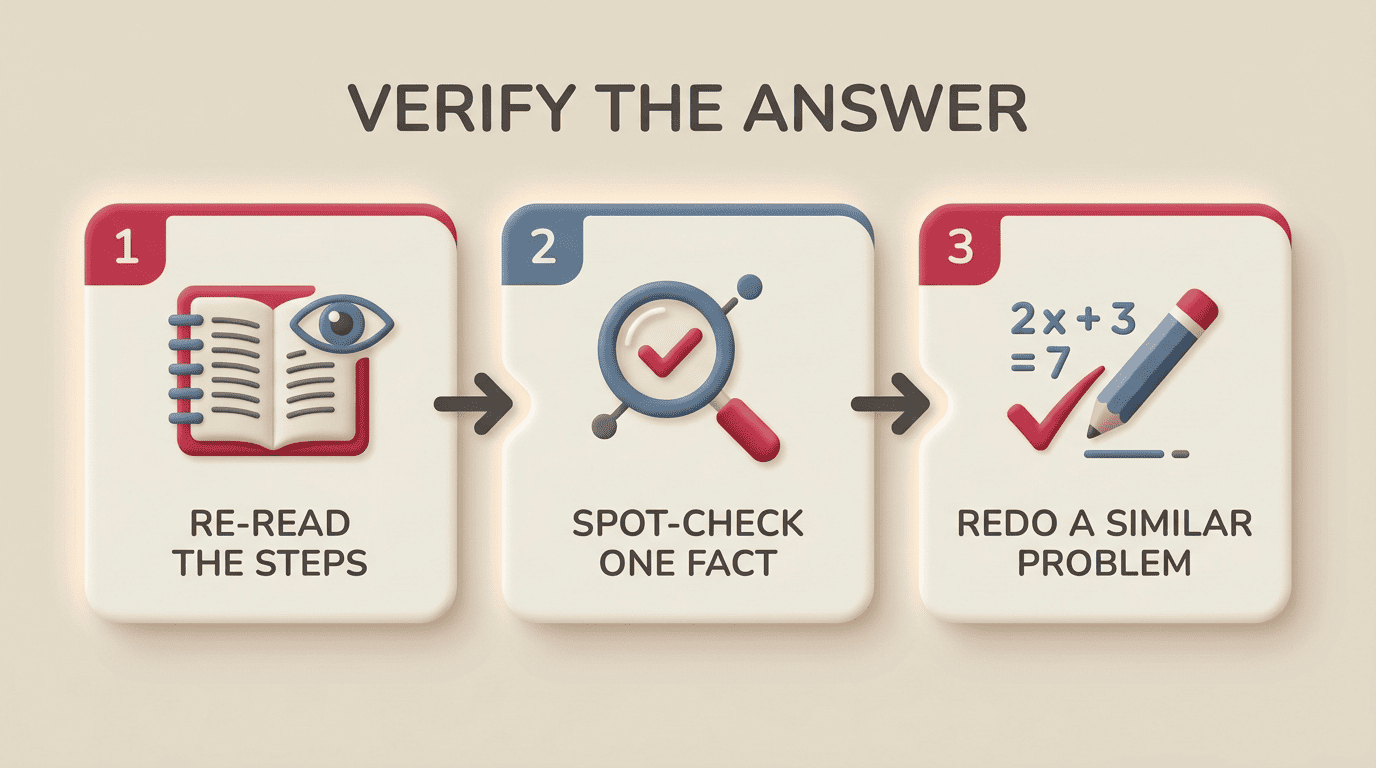
A quick verify routine
A short habit, run every time, catches most mistakes before they cost you a grade:
- Re-read every step the AI gave you, not just the final line.
- Spot-check one number or fact against your notes or textbook.
- Ask the AI to explain the one step that still feels shaky.
- Redo the entire problem yourself, with no AI open.
- Try one similar problem completely solo to confirm it stuck.
That last step is the real test — if you can’t redo a similar problem without homework help AI open in another tab, the first pass didn’t teach you as much as it felt like it did.
Free vs. paid: what you really need
Most students don’t need a paid subscription to get real value out of a homework AI. Free tiers from tools like Google Lens and the free versions of major chatbots cover a large share of everyday homework questions without ever asking for a card number.
- Free is usually enough for: quick concept checks, occasional math problems, and homework help a few times a week.
- Paying starts to make sense for: unlimited daily use, animated or more detailed step-by-step walkthroughs, and access to live human experts alongside the AI.
- Prices worth treating as a rough 2026 guide, not a guarantee: Google Lens’s homework help costs nothing; Photomath runs free with a roughly $9.99/month plan for extras; general chatbots have a budget tier around $8/month (ChatGPT Go); specialized help platforms can run higher, and tutoring-style tools like Khanmigo have landed around $44/year for the learner plan.
The bottom line: the best AI is the one that makes YOU better
Match the tool type to the actual need. A chatbot for concepts and essays, a math solver for calculations, a tutoring bot when the goal is genuinely learning the material — the right category matters more than the specific brand inside it.
Judge whatever you pick against the six criteria above. Whether it shows its steps and admits when it isn’t sure matters more than how fast it feels or how polished the interface looks.
The real test isn’t tonight’s homework — it’s tomorrow’s. Could you solve a similar problem again without the tool open? That’s the only number that actually tells you whether a homework AI made you better or just made you faster.