
How to Choose an AI Homework Help App (Without Cheating Yourself Out of Learning)
A good homework AI app can turn a “I have no idea how to start this” night into a “oh, THAT’S how it works” moment — but only if you pick one that explains instead of just handing over answers. According to Common Sense Media, the nonprofit that independently rates kids’ tech, tools vary enormously in how much real teaching they actually do. This guide walks through exactly what to look for, from step-by-step explanations to privacy, so you (or your student) end up with a tool that builds skills instead of just finishing worksheets.

Homework help on a phone is normal now — practically every student has tried one. The real question isn’t “should I use one,” it’s “which kind actually teaches me.” So instead of ranking specific brands, this guide focuses on the category and the criteria that separate a genuine AI homework help app from a glorified answer key.
What an AI Homework Help App Actually Does
At its core, an AI homework help app is software that reads a question — typed, photographed, or pasted from a PDF — and returns an explanation, not just a final number. The better ones behave less like a search engine and more like an AI tutor who happens to be available at 11 p.m. the night before a test.
From a photo to a worked example
Most modern AI homework tools accept several kinds of input: a typed question, a photo or scan of a printed problem, sometimes a PDF upload or even a spoken question. Point the camera at a tricky geometry proof or a paragraph of confusing chemistry notes, and the app returns a worked explanation in seconds, available 24/7. Photo/scan-to-solve is genuinely convenient — it saves you from re-typing a messy word problem — but it’s worth treating it as a way to get unstuck faster, not a shortcut that lets you skip the thinking part entirely.
Tutor, not vending machine
The best tools in this category act like a patient tutor rather than a vending machine that spits out answers for coins. A vending-machine app takes your question and gives you the final result. A tutor-style app asks what you’ve already tried, waits for an actual attempt, and then walks you through the reasoning behind each step. That distinction — tutor versus vending machine — is the single biggest thing to check before you commit to any AI homework helper.
The Features That Actually Matter
Not every AI homework app is built the same way, and the feature list on a landing page rarely tells the whole story. Here’s what separates a tool that teaches from one that just answers.
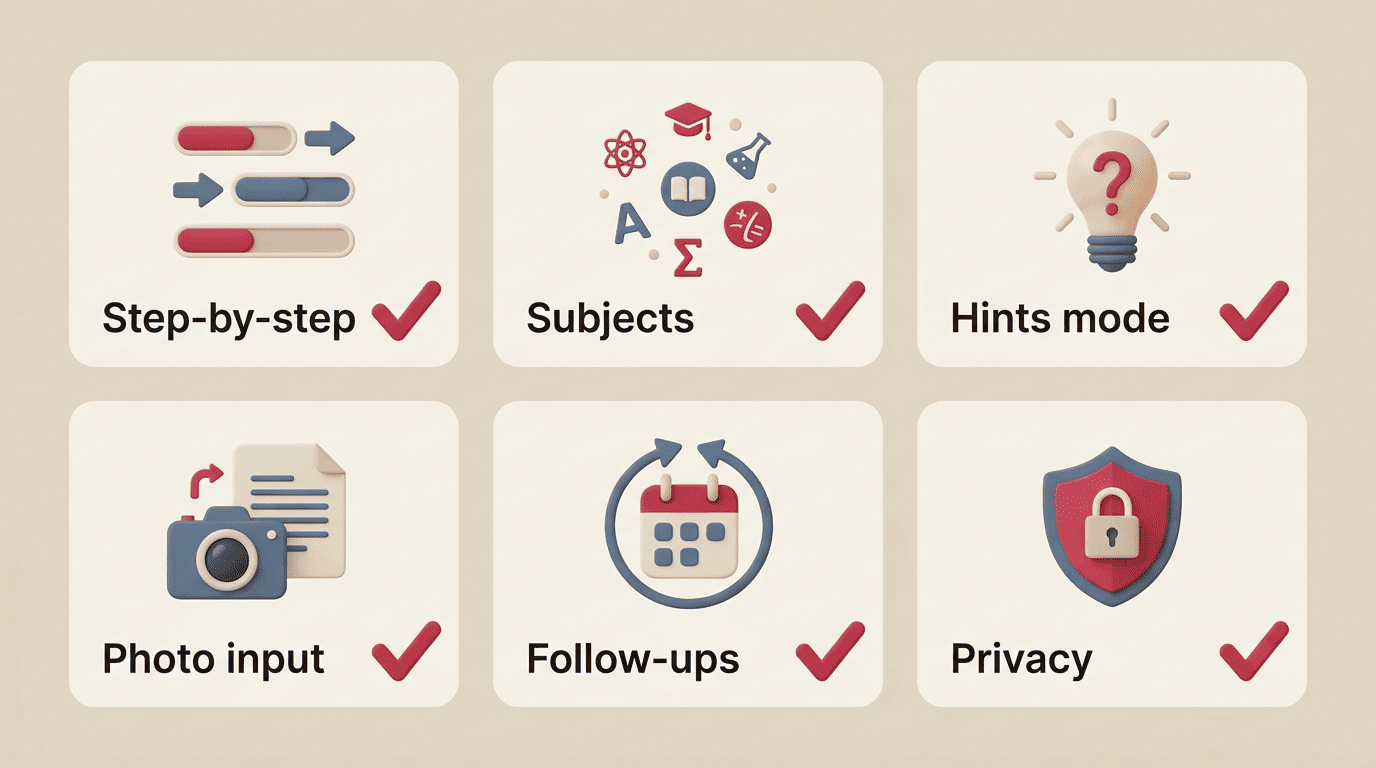
Step-by-step explanations (the non-negotiable)
A worked solution should show every step, and each step should come with a “why,” not just a “what.” If you ask the app “why does step 3 work?” and it can explain the underlying rule — not just restate the step — that’s a strong sign you’re dealing with a genuine AI tutor app rather than a calculator with a chat window bolted on.
Subject range and depth
Coverage varies a lot by subject. Math and photo-solve tend to be the strongest category-wide, since equations are relatively easy for a model to parse and check. Science explanations are usually solid for concepts and formulas. Essay and writing help is trickier: a good app should coach structure, thesis clarity, and argument flow — it should not write the essay for you. Reading comprehension and test-prep support round out most full-featured apps.
Learning-first modes (hints, Socratic questioning)
The strongest homework AI apps offer a “guide me” or hints-first mode built around the Socratic method — asking a sequence of guiding questions so the student arrives at the answer rather than receiving it outright. This is the same teaching philosophy Socrates used with his students over two thousand years ago, and it maps surprisingly well onto how a good AI tutor should behave: prompt, don’t just tell.
| Feature | What it means | Green flag to look for |
|---|---|---|
| Step-by-step explanations | Shows the full reasoning path, not just the final answer | You can ask “why” about any step and get a real explanation |
| Multi-subject coverage | Handles math, science, essays, reading, test prep | Clear list of supported subjects, not vague “all subjects” claims |
| Hints/Socratic mode | Asks guiding questions instead of stating the answer | A toggle or default mode that withholds the final answer |
| Photo & text input | Accepts typed questions, photos/scans, sometimes PDFs | Camera input recognizes handwriting and diagrams accurately |
| Follow-up questions | Lets you dig deeper on a specific step | Chat-style follow-up, not a one-shot answer box |
| Practice generation | Creates similar problems for extra reps | Option to generate 2-3 variations after solving one |
| Offline/privacy controls | Limits data collection and storage | Clear settings for deleting history or limiting data use |
Step-by-Step Explanations vs. Answer-Dumping
The single most useful test for any AI homework help app is simple: does it explain, or does it dump? This distinction determines whether the tool builds real skill or just gets tonight’s assignment off your plate.
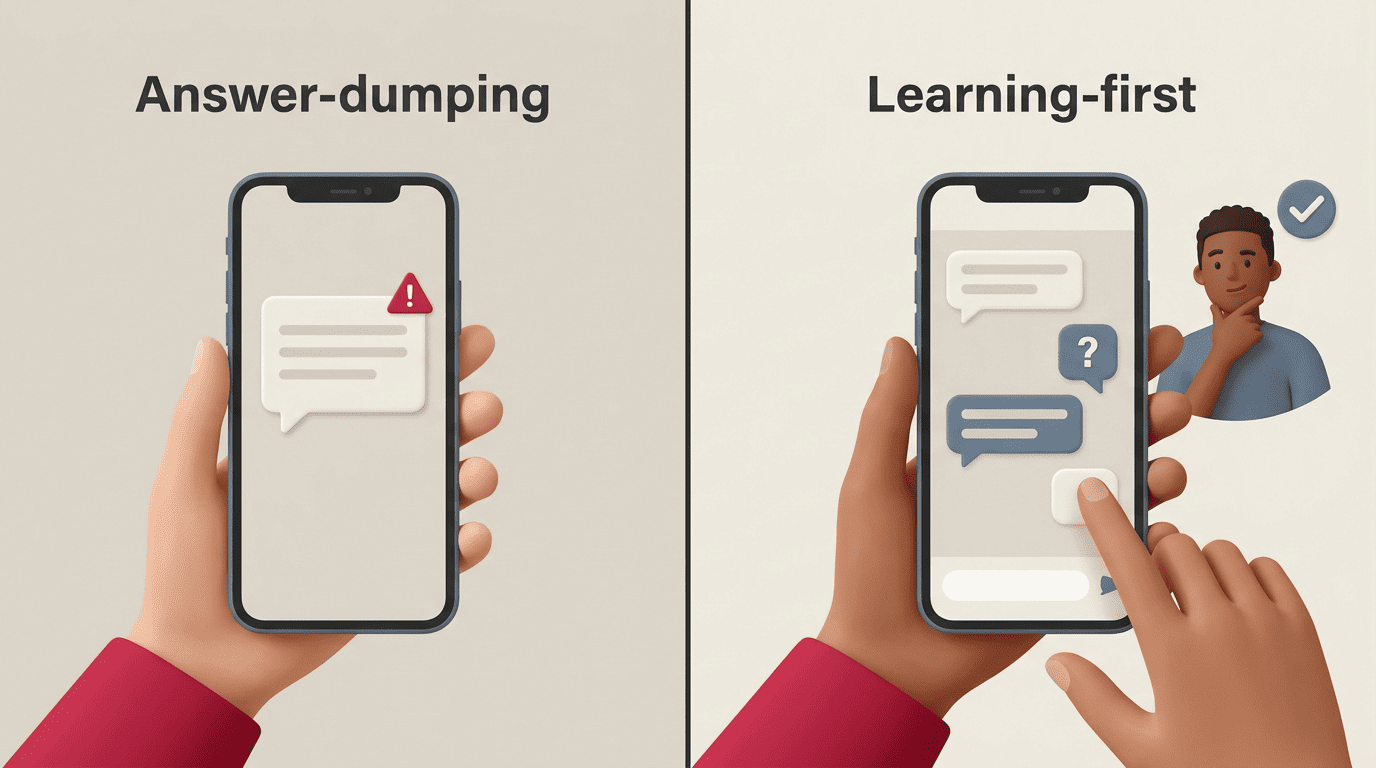
How to spot an answer-dumper in 60 seconds
Give the app a real problem from your homework and watch what happens next.
- It shows the final answer immediately, with no reasoning attached.
- It never asks what you’ve already tried or what you’re stuck on.
- Asking “why” produces a restatement of the answer instead of an explanation.
- There’s no hint mode, no “attempt it yourself first” prompt, nothing between “question” and “answer.”
- It offers to write full paragraphs or essays outright instead of coaching structure.
If two or more of these show up, you’re looking at an answer-dumping app, not a learning-first one. This is sometimes called the “just tell me” stress test — type “just give me the answer” and see whether the app pushes back at all or simply complies.
Why guided beats instant answers
Reviewers and educators who compare guided versus answer-only tools generally report that students who work through Socratic-style explanations retain more and perform better independently than students who copy final answers straight through. One widely cited category comparison put guided-tool users at roughly +23% improvement on independent follow-up problems, versus about +8% for answer-copiers — numbers worth treating as a reviewer-reported pattern rather than a peer-reviewed statistic, but the direction lines up with what most teachers observe. The real test isn’t tonight’s homework grade; it’s whether you can solve a similar problem on tomorrow’s quiz without the app open.
| Behavior | Answer-dumping app | Learning-first app |
|---|---|---|
| When you ask a question | Returns final answer instantly | Asks what you’ve tried, or offers a hint first |
| Shows reasoning? | Rarely, or only if pressed | Every step, with explanations |
| Encourages your attempt? | No | Yes — waits for input before revealing more |
| Effect on test day | Little retention, answer forgotten fast | Better recall, can redo similar problems |
| Integrity risk | High — easy to copy-paste into submitted work | Lower — output is understanding, not a finished answer |
Price: Free, Freemium, or Paid?
Most AI homework help apps use some version of freemium pricing, and understanding the tiers before you commit saves both money and frustration.
What you get for free vs. paid
- Free tier usually covers casual use — enough for a couple of homework sessions a week, often with daily question limits.
- Paid plans typically unlock unlimited questions, deeper step-by-step explanations, and additional subjects. Pricing across the category generally lands somewhere around $5–$15 per month, or roughly $60–180 per year if you pay annually.
- Free trials are common, usually around three days, before the app switches to a paid plan automatically.
A sensible approach: start on the free tier, use it for real homework for a week or two, and only upgrade once you actually hit a limit that matters — not because a countdown timer on the signup screen says you should.
Watch the auto-renew and “answer credits”
A few pricing patterns are worth treating as red flags rather than normal business practice.
- Hard paywalls that interrupt a problem halfway through the explanation.
- Aggressive auto-renew with no easy in-app cancellation path.
- “Answer credit” systems that quietly push you toward buying more credits mid-session.
- Trial periods that require a card upfront with no clear reminder before the charge.
Safety and Privacy for Students and Parents
This is not a YMYL topic in the medical or financial sense, but student data still deserves real scrutiny — especially for younger kids using the app unsupervised.
What data the app collects (and the COPPA rule)
For any student under 13 in the U.S., the Children’s Online Privacy Protection Act (COPPA) requires apps to give clear notice and obtain verifiable parental consent before collecting personal information. The Federal Trade Commission’s COPPA guidance lays out exactly what that consent process has to look like and what counts as “personal information” under the rule. Before letting a younger student use any AI homework app, it’s worth actually reading the privacy policy: what’s stored, whether it’s sold or shared, and whether you can request deletion.
Age-appropriateness and supervision
Most AI learning tools target students roughly 8 and up. Younger children generally do better with visual, heavily guided tools used alongside a parent or teacher, rather than open-ended text chat on their own. Teens can typically work more independently, with periodic check-ins rather than constant supervision. Look specifically for content filters and a parental dashboard — their presence (or absence) says a lot about how seriously an app takes younger users.
Where to check independent ratings
Rather than trusting an app’s own marketing page, it’s worth checking an independent reviewer. Common Sense Media publishes age ratings and privacy evaluations for education apps that go well beyond what a company’s App Store listing will admit to, covering things like ad tracking, data-sharing practices, and content appropriateness by grade level.
Quick privacy checklist before you install anything:
- Privacy policy is easy to find and written in plain language.
- Clear statement on whether student data is sold or shared with third parties.
- Option to delete account data on request.
- Content filters appropriate for the student’s age.
- Parental dashboard or activity summary available, if the student is under 13.
- No requirement to link a school email or student ID unless the school issued the app itself.
Academic Integrity: Help vs. Cheating
There’s a real line between using an AI homework help app to learn and using it to avoid learning — and it’s worth being honest about where that line sits, without treating every student who opens one as a cheater.
The line between learning and submitting
Using an app to understand a concept, check your reasoning, or get unstuck on one step is learning — that’s exactly what a tutor is for. Copying its output directly into what you turn in, without processing it yourself, is the risky zone, and a growing number of schools now run AI detectors on submitted work to catch exactly that pattern. Sal Khan, founder of Khan Academy and creator of the AI tutor Khanmigo, has been blunt about the difference between real tutoring tools and glorified answer machines: he has argued that it’s easy to wrap a friendly interface around a language model and call it a tutor when all it really does is offer to do the student’s homework for them. That’s the same distinction this whole guide keeps coming back to: a tool that answers for you isn’t a tutor, no matter how it’s marketed.
The “explain it back” test
Here’s a practical self-check that works for almost any subject: the next day, without the app open, try to explain the solution in your own words. If you can walk through the reasoning from memory, the app taught you something. If all you can do is repeat phrases it used, you consumed an answer rather than learning a concept — and it’s worth going back and redoing that problem with the hints turned on.
How to Actually Use It to Learn (Not Just Finish)
Getting real value out of an AI homework help app comes down to using it in a specific order, rather than just pasting in a question and taking whatever comes back.
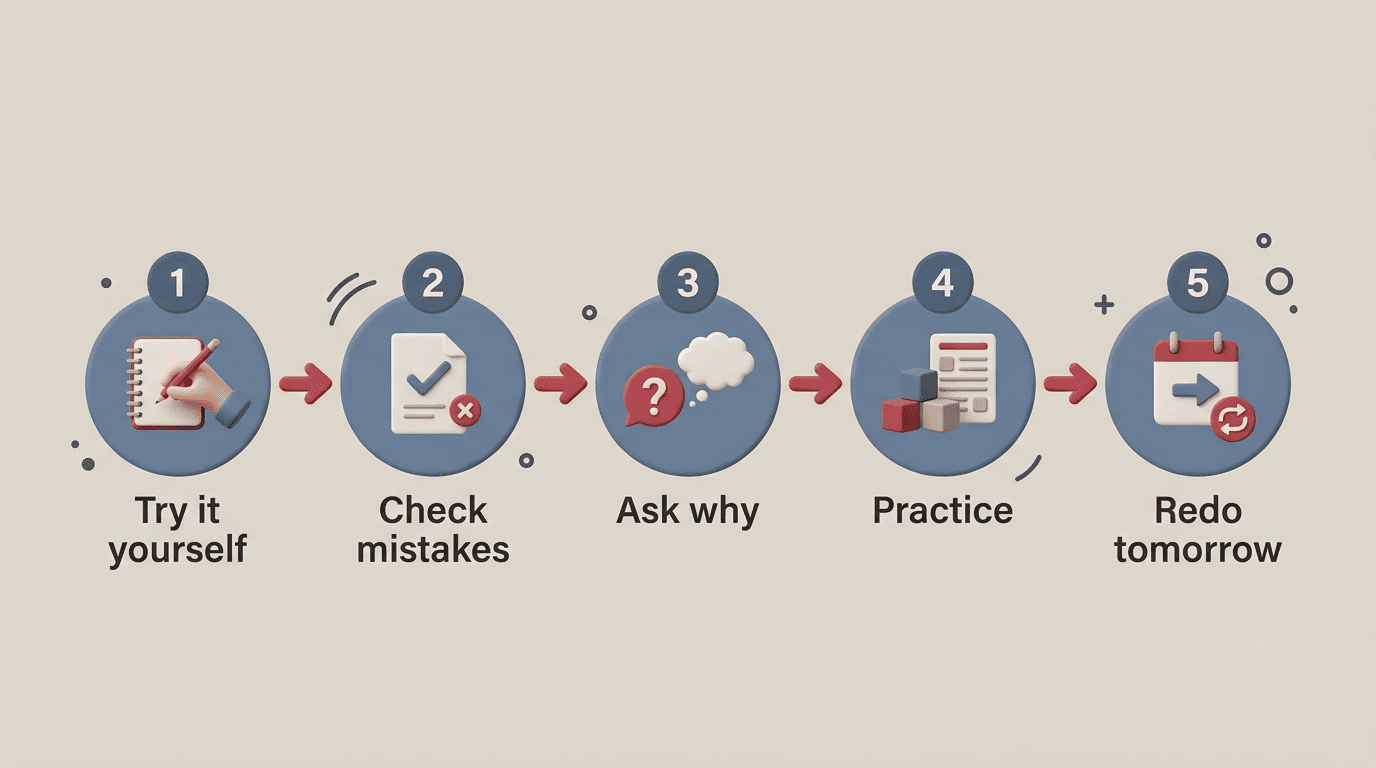
A simple 5-step study routine
- Attempt the problem yourself first, even if you’re not confident you’ll get it right.
- Use the app to check where your attempt went wrong, rather than starting from a blank screen.
- Ask it “why” on each step until the reasoning actually makes sense, not just the mechanics.
- Have it generate two or three similar practice problems to reinforce the pattern.
- The next day, redo one of those problems without the app open — that’s the real test of whether it stuck.
This routine turns an AI homework help session into something closer to independent study than a shortcut, and it’s the difference most teachers notice between kids who improve over a semester and kids who don’t.
Red Flags to Avoid
A handful of warning signs tend to show up consistently across the weaker apps in this category, and they’re usually easy to spot in the first five minutes.
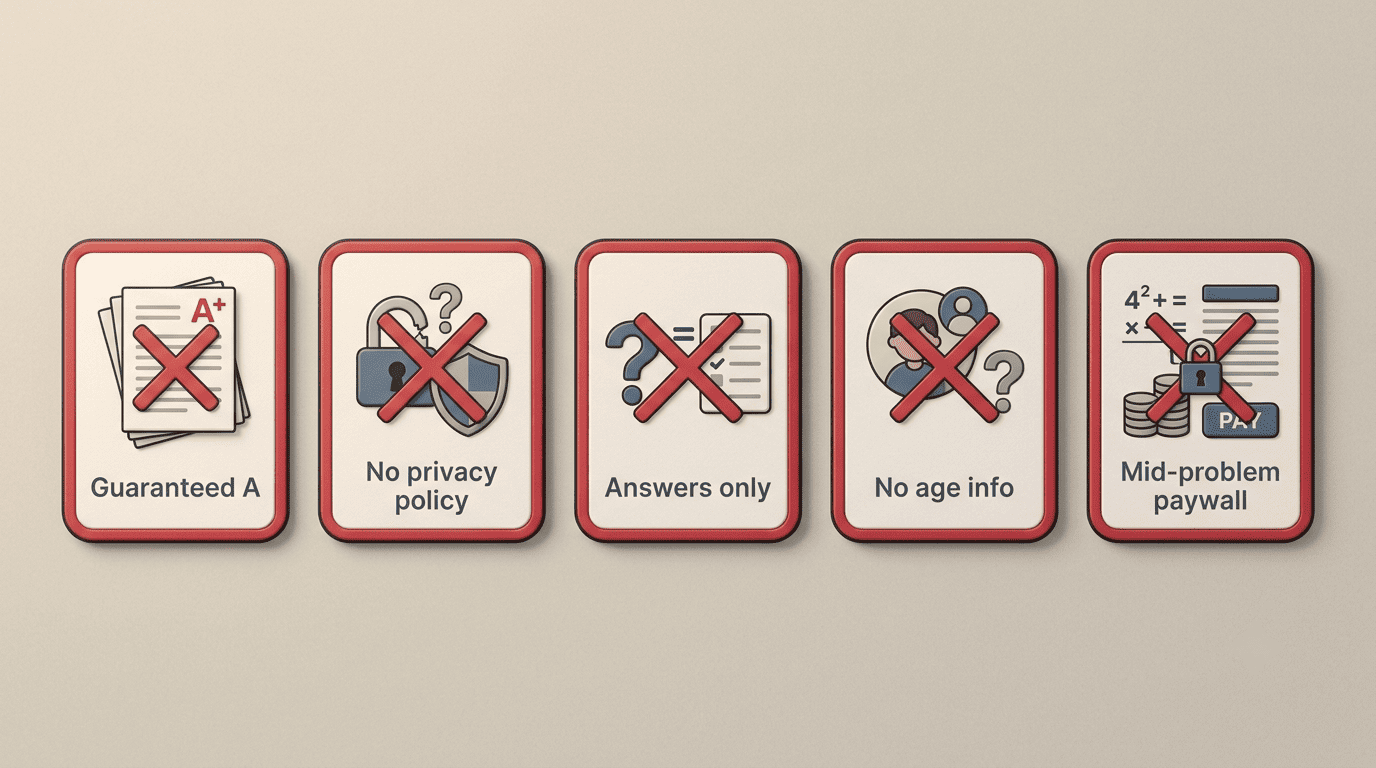
Marketing and behavior warning signs
- Marketing that promises “guaranteed A” or claims to be “undetectable by teachers” — legitimate education tools don’t sell themselves as cheating devices.
- Answers with no visible reasoning, ever, on any subject.
- No privacy policy, or one that’s vague about whether data is sold or shared.
- No stated age guidance or content filtering options.
- A paywall that interrupts an explanation mid-problem rather than gating access upfront.
- An app that hasn’t been updated in six months or more, which often means abandoned support and stale AI models underneath.
Any single item on this list is worth noting; two or three together are a good reason to close the tab and look elsewhere.