
AI Homework Solver: How It Works, Where It’s Right, and How to Actually Learn From It
An AI homework solver takes a photo, a PDF, or a typed question and returns a full step-by-step solution in seconds. A good homework AI doesn’t just hand you the final number — it shows the working so you can follow the reasoning behind it, the same way optical character recognition (OCR) reads the problem off the page in the first place. The answer alone is the least useful part of the response; the steps are where the actual learning happens.

This guide walks through exactly how a solver reads and reasons through a problem, why seeing the worked steps — not just the final answer — is what makes material stick, which subjects it’s strong and shaky at, and how to catch the mistakes it does still make.
How an AI Homework Solver Actually Works, Step by Step
Underneath the “type or snap a photo” interface, every AI homework solver runs the same basic pipeline: something captures your question, something reads it, something reasons through it, and something explains the result back to you in plain language. Knowing that flow makes it much easier to spot where things can go wrong later.
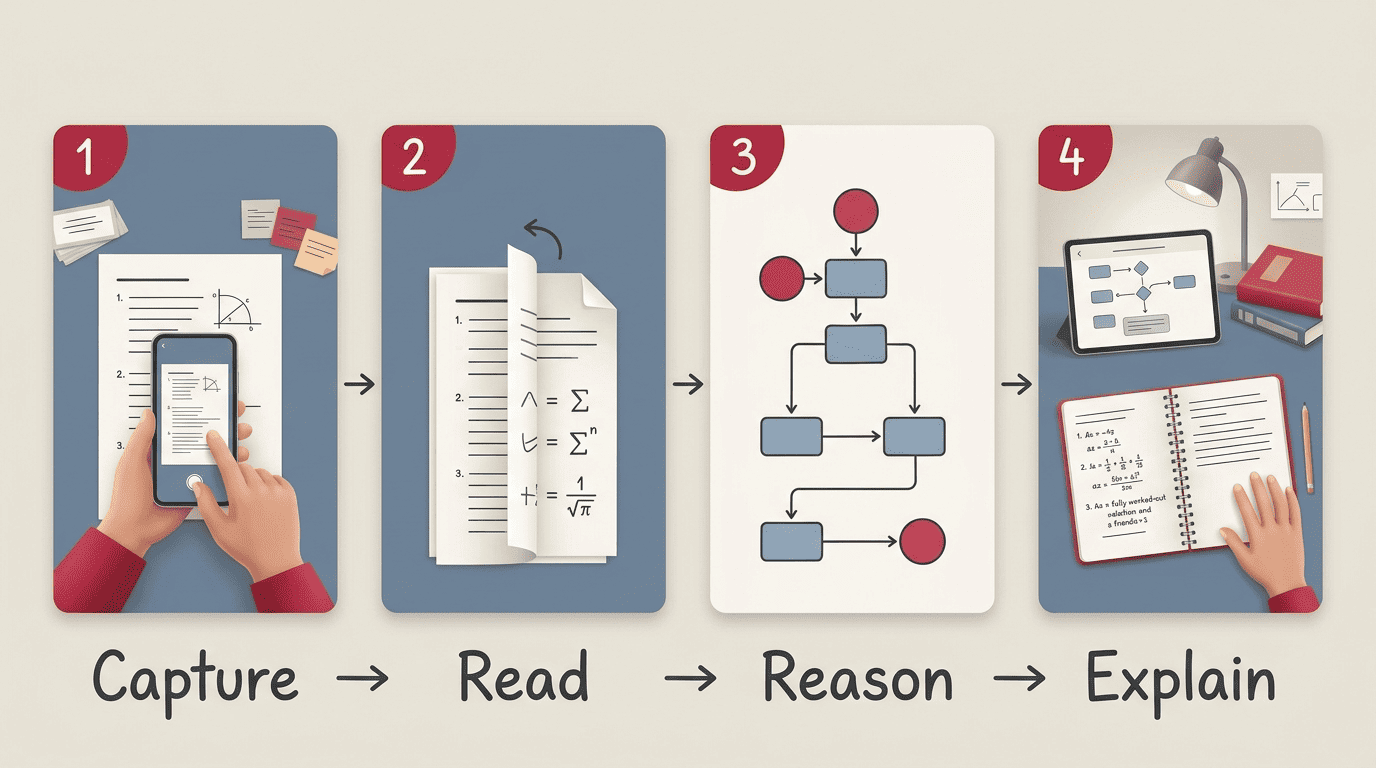
The four stages: capture, read, reason, explain
The process breaks into four distinct stages, and each one hands off to the next.
- Capture — you type the question directly, or you snap and upload a photo or PDF of it.
- Read — optical character recognition (OCR) turns the pixels of an equation, a diagram, or a paragraph into machine-readable symbols and text, often reading a whole scanned page at once without any retyping.
- Reason — a large language model interprets what’s actually being asked and builds a chain of steps toward a solution. The important nuance here: an LLM predicts the most likely next step from patterns in its training, it does not plug numbers into a formula like a calculator — which is exactly why it can sound fluent and still be wrong.
- Explain — it lays out the worked steps plus a plain-language explanation, usually in seconds, with many tools claiming answers in well under a minute.
From “solve” to “show the working”
Better solvers give you a choice of output mode instead of forcing a single format — a detailed explanation, a pure answer, a step-by-step breakdown, a study guide, a “correct my work” pass, or similar practice questions generated on the spot. The mode you pick matters more than most students realize: pick the one that teaches, not the one that just spits out a number.
| Stage | What it does | Where it can break |
|---|---|---|
| Capture | You type or photograph the problem | Rushed, blurry, or cropped photo |
| Read (OCR) | Converts the image or text into machine-readable symbols | Ambiguous handwriting, misread symbols |
| Reason | An LLM builds a chain of logical steps | Confident-but-wrong reasoning |
| Explain | Outputs the worked solution and explanation | Skips a step, oversimplifies |
Why Seeing the Working Beats Getting the Answer
Copying a final answer teaches you nothing you can reuse on the next problem. Following the worked steps shows you the method, and method is what actually transfers from one problem to the next one that looks nothing like it on the surface.
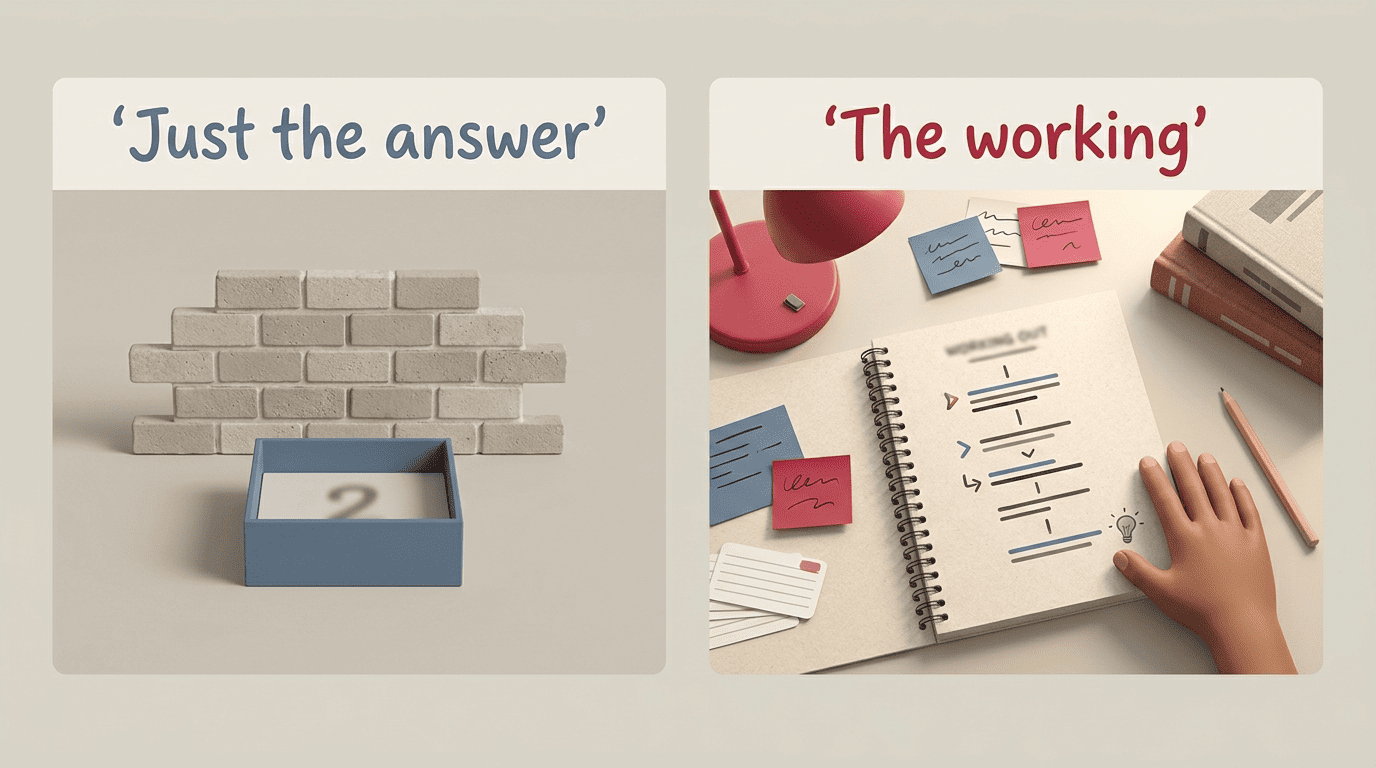
Self-explanation is explaining the concept, the steps, and the solution to yourself in order to develop a deeper understanding of the material, as researcher Kelsey Gilbert put it in a widely cited piece for The Learning Scientists. That’s essentially what a good AI homework solver hands you the raw material for — but only if you actually read the steps instead of scrolling straight to the answer.
The answer is a dead end; the steps are the map
This lines up with what learning researchers call the worked-example effect: studying a fully worked solution, then trying a similar problem yourself, builds skill faster than being handed a blank problem and struggling alone — especially early on, before you know the method. A final answer with no steps gives you nothing to study; a full worked solution gives you a template you can apply the next time a similar problem shows up on a quiz.
Turn the solver into a check, not a crutch
The practical version of this: try the problem yourself first, then compare your steps to the solver’s, and use an “explain this step” follow-up to pin down the exact place you got stuck. That single habit is the difference between a solver being a study aid and it being a shortcut.
- Attempt the problem on your own before you open the app
- Compare your steps line by line against the worked solution, not just the final number
- Ask a follow-up like “explain step 3” instead of re-reading the whole thing
- Rework the problem from scratch a day later without looking at the steps
- Use the “generate similar” or practice-question mode to test yourself on a fresh version
What Subjects It Handles — and How Well
AI homework solvers cover a wide spread of school subjects — algebra, geometry, calculus, and statistics on the math side; physics, chemistry, and biology in science; plus literature, history, reading comprehension, and foreign languages. Some tools list coverage across 60-plus subjects, and dedicated test-prep modes handle standardized exams like the SAT, ACT, GRE, MCAT, and LSAT.

Coverage is not the same as reliability, though. A solver can technically “handle” an essay prompt and a calculus problem in the same interface, but the quality of what it hands back is very different between the two.
Where it’s strongest: structured, rule-based problems
Math — algebra, geometry, calculus, statistics — and science problems with clear, rule-based steps are where the worked output is most trustworthy, because there’s a checkable method and a single correct answer to compare against.
Where to be careful: essays, interpretation, opinion
Open-ended writing, literary analysis, and “what do you think” prompts are a different story. The solver will produce plausible-sounding text, but it can be generic, it can miss your teacher’s specific rubric, and submitting it as-is is exactly where the cheating line sits. Use it for outlines, feedback on a draft, and getting unstuck — not for a finished essay you turn in.
| Subject | Strong at | Be careful with |
|---|---|---|
| Math (algebra, calculus, stats) | Structured, checkable step-by-step logic | Multi-part word problems with ambiguous wording |
| Science (physics, chemistry, biology) | Formula-driven problems with a clear method | Lab interpretation, “explain why” conceptual questions |
| Reading & history | Summaries, comprehension questions, timelines | Nuanced source analysis, teacher-specific rubrics |
| Essay writing | Outlines, structure feedback, grammar checks | Finished essays submitted as your own |
| Test prep (SAT/ACT/GRE) | Practice questions, timed drills | Predicting your exact score |
Where AI Homework Solvers Get Things Wrong (and How to Verify)
No AI homework solver is right 100% of the time, and the honest ones say so directly. It’s common for these tools to market themselves around a “98% accurate” figure while hedging in the fine print with language like “no guarantee of 100% accuracy” — a gap worth remembering every time a tool implies perfection.
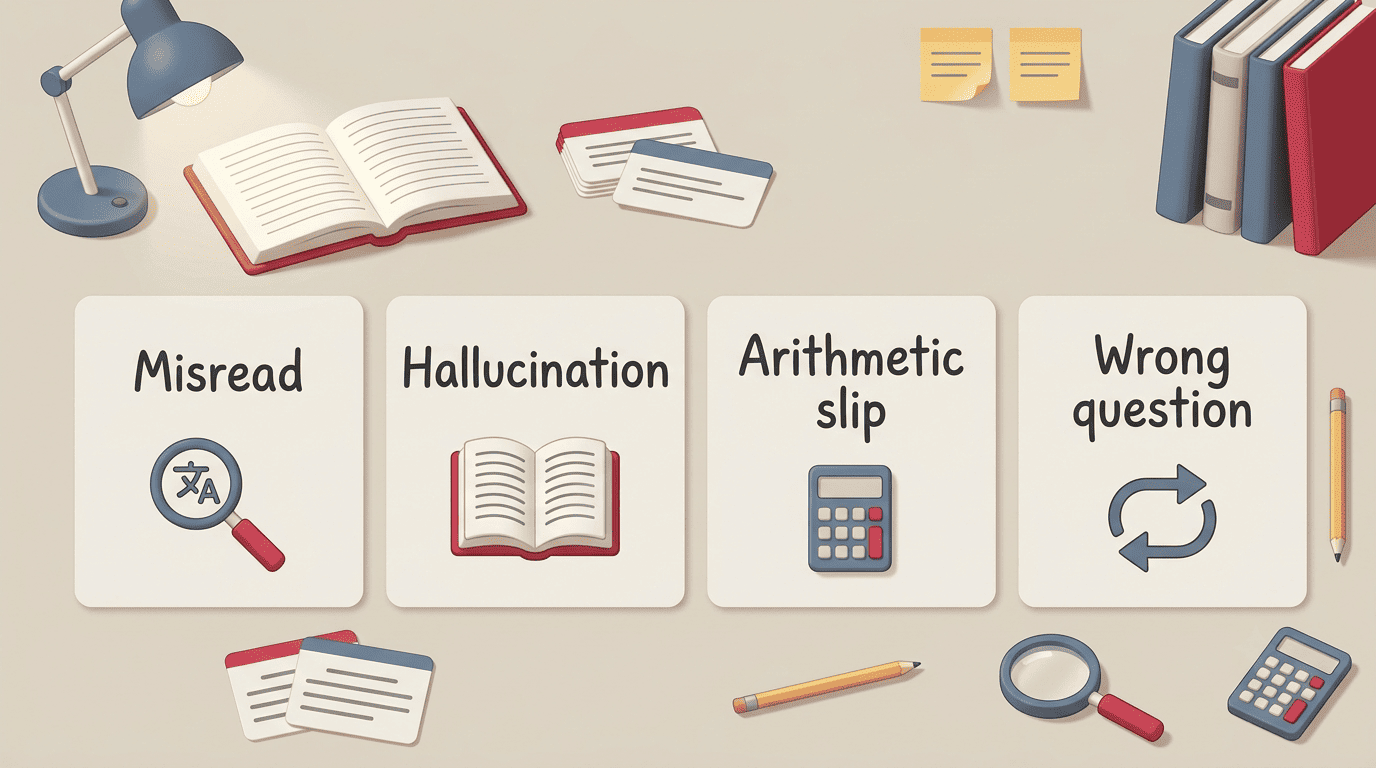
The four failure modes
There are really only four ways these tools go wrong, and once you can name them, they’re much easier to catch.
- Misreads — OCR confuses a minus sign for a fraction bar, mistakes a variable x for a multiplication sign, or trips over sloppy handwriting.
- Hallucinations — the model states a confident but wrong step, or invents a fact, date, or citation that doesn’t exist.
- Right method, wrong arithmetic — the reasoning is sound and the steps are fluent, but a number slips somewhere along the way.
- Wrong question — it solves a slightly different problem than the one you actually meant to ask.
A 60-second verification routine
| Failure mode | What it looks like | How to catch it |
|---|---|---|
| Misread | A symbol or number doesn’t match your original photo | Re-read the captured question against the original |
| Hallucination | A confident claim, date, or citation that feels off | Cross-check against your textbook or a trusted source |
| Arithmetic slip | Steps look right but the final number is off | Plug the answer back into the original problem |
| Wrong question | The solution answers something adjacent to your actual question | Confirm the captured text matches what you meant to ask |
Run through this before you trust an answer that matters:
- Re-read the captured question to confirm it matches what you actually typed or photographed
- Check the final answer with a calculator or by plugging it back into the original problem
- Make sure each step logically follows from the one before it
- For facts, dates, or quotes, confirm against your textbook or another trusted source
- When the stakes are high — a graded assignment, a test — ask a teacher to double-check
Using an AI Homework Solver Honestly (Learning vs Cheating)
Whether an AI homework solver helps you or gets you in trouble comes down to one thing: what you do with what it gives you. The International Center for Academic Integrity frames academic integrity around six values — honesty, trust, fairness, respect, responsibility, and courage — and honesty sits at the base of the rest. That’s a useful lens here: getting an explanation is honest studying; turning in someone else’s (or something else’s) work as your own is not.

The honest line, in one sentence
If you use the solver to understand a problem and could re-do it yourself afterward without help, you’re learning. If you paste its output and submit it as your own, that’s the cheating side of the line. Getting explanations, checking your own work, and generating extra practice problems all sit firmly on the learning side.
- Do: ask it to explain a step you don’t understand
- Do: check your own worked answer against its solution
- Do: generate extra practice problems for a topic you’re weak on
- Don’t: copy its essay or written answer and submit it as your own
- Don’t: use it during a test or quiz where outside help isn’t allowed
- Don’t: skip trying the problem yourself first, every single time
Know your class’s rules
AI policies differ by teacher and by school — some allow it freely for practice, others ban it outright for graded work. When you’re not sure, ask before you use it, and cite the AI help if your class requires disclosure.
How to Get a Better Answer From a Solver
Most of the “garbage in, garbage out” failures from the section above start with a bad capture, not a bad model. A few habits fix most of it before it becomes a problem.
- Make sure handwriting is legible, or type the problem instead of photographing messy notes
- Use good lighting and a flat, straight-on photo — angled or shadowed shots confuse the OCR step
- Capture one problem per photo instead of a whole page at once
- State the grade level or method you want (“solve using the quadratic formula,” not just “solve this”)
- Ask direct follow-ups like “explain step 3” instead of re-submitting the whole problem
- Use the practice-question or “generate similar” mode to drill a topic before a test, not just to get one answer