
AI Homework Scanner: How Snap-and-Solve Actually Works (and How to Use It to Learn)
You point your phone at a problem, snap a picture — and a few seconds later you have a full, step-by-step solution. A good homework AI reads the photo, works out the answer, and shows every step along the way, and the technology behind it is more interesting than it looks.
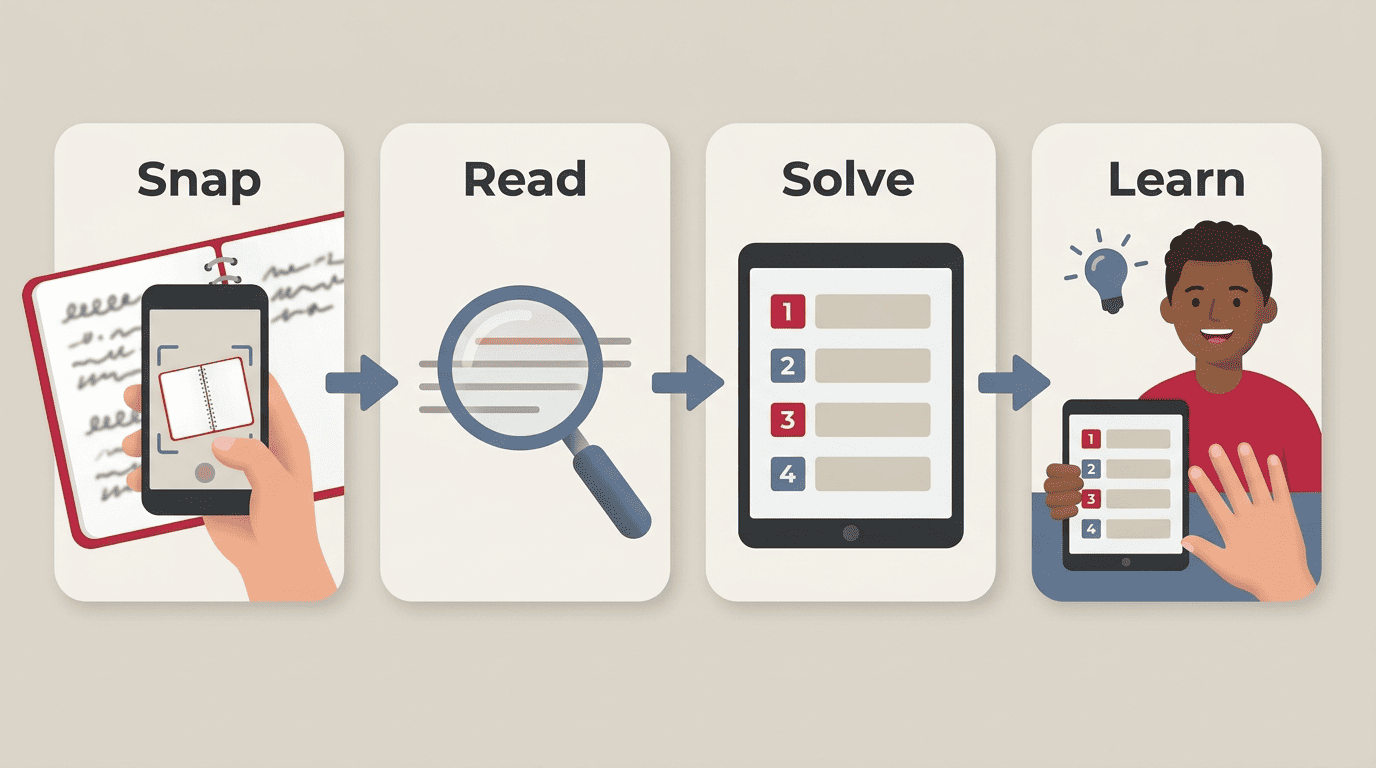
This guide breaks down what’s happening under the hood — the OCR-plus-AI pipeline that turns a picture into an answer — what it scans well and where it stumbles, how accurate it really is, and how to check its work instead of just trusting it. The goal is to use a homework AI helper to actually learn the material, not just to skip it.
What an AI Homework Scanner Actually Does
An AI homework scanner is an app or web tool that reads a photo of a problem — or a PDF, a screenshot, sometimes even an audio clip — and returns a worked answer with an explanation, usually in about three to four seconds. Most cover six to eight subject areas: algebra, calculus, geometry, chemistry, reading comprehension, and foreign languages are the common ones. It isn’t a lookup trick. It’s two separate technologies working in sequence.
The 30-second version
Under the surface, a homework scanner is really two tools stitched together: one that reads what’s on the page, and one that figures out the answer. Neither step works well without the other — a perfect reader with no reasoning engine just transcribes the problem, and a brilliant solver that can’t read your handwriting never gets a chance to help.
From photo to answer — the pipeline
- Capture — you take a photo of the problem, or upload a PDF or screenshot.
- Read — optical character recognition (OCR) turns the pixels into machine-readable text and formulas.
- Solve — an AI model reasons through the problem step by step to reach an answer.
- Explain — the tool returns the answer alongside the full working, not just the final number.
Step 1: How the Scanner “Reads” Your Page (OCR)
Before any AI can solve your problem, it has to know what the problem actually says — and that job belongs to OCR, not the reasoning model.
OCR in plain English
OCR stands for optical character recognition — the technology that converts an image of letters, numbers, and symbols into editable, searchable text. For math, the job is harder than reading a paragraph: the system has to recognize structure, not just characters — exponents, fractions, square roots, subscripts — and convert that layout into a machine-readable format, often something close to LaTeX under the hood.
Typed vs handwritten
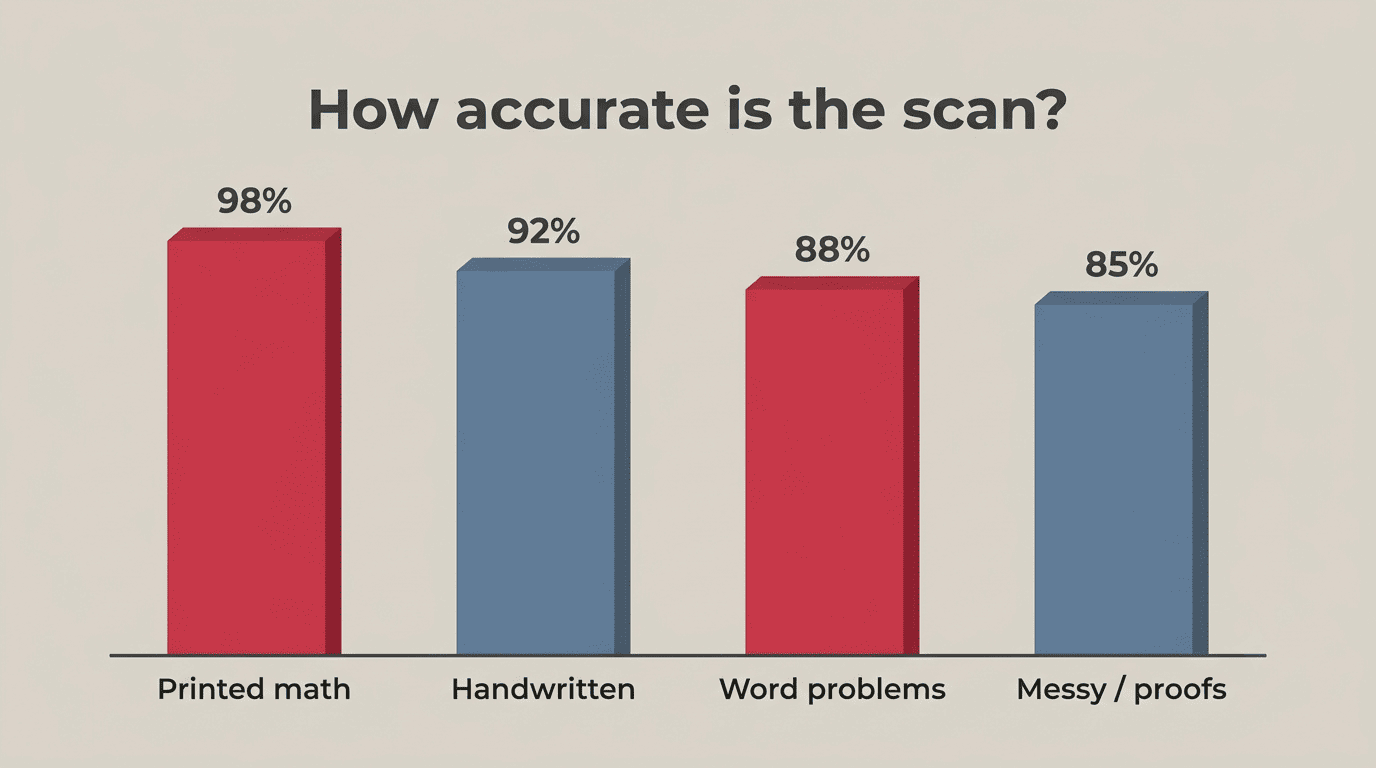
Printed text is read almost perfectly — typically well above 95% accurate. Handwriting is a different story: accuracy varies much more widely, often anywhere from 60% to 90% depending on legibility, pen pressure, and the specific tool. Neat, standard writing lands near the top of that range, while faint pencil marks, overlapping lines, and rushed digits pull it down fast. Specialized math-symbol recognition, on the other hand, tends to be high on clean input — because a formula written clearly has fewer ways to be ambiguous than free-form handwriting.
Step 2: How the AI “Solves” It
Once the text is extracted, the second half of the pipeline takes over — and this is where the actual problem-solving happens.
Reasoning, not just a lookup. After OCR hands off the recognized problem, an AI reasoning model — a large language model, or LLM — works through it. It isn’t searching a database for a matching answer; it’s choosing a method, running the calculation, and writing out the logic as it goes. A well-built homework AI helper offers different modes for this: a quick final answer, a full step-by-step breakdown, or an “explain it like a tutor” walkthrough that slows down on the parts you’re likely to get stuck on.

Why the “steps” matter more than the answer. The value isn’t really the final number — it’s the path to it. Which method applies, which rule governs the step, where students typically slip up. That’s the part you can carry into the next problem, and it’s the part a test actually asks you to demonstrate when your phone isn’t allowed on the desk.
What It Handles Well — and What Trips It Up
Accuracy isn’t a single number — it swings a lot depending on what you’re pointing the camera at.
Strong: clean typed math and short problems
Algebra, calculus, trigonometry, statistics, linear algebra, and differential equations all scan reliably when the input is clean and printed. Short, self-contained problems with a single clear question are the most dependable case across the board.
Weaker: diagrams, geometry, messy handwriting, wordy problems
Geometry and diagram-based questions are the hardest case: the tool has to “see” the shape and infer measurements that are implied visually rather than spelled out in text. Long word problems are less reliable, landing around 88% when typed and lower still — and far more variable — when handwritten, because the system has to parse language and structure at the same time. Messy handwriting and poor lighting both drag accuracy down further.
Task type vs reliability
| Task type | How reliably it scans | Why |
|---|---|---|
| Printed math (algebra/calculus) | Very high (well above 95%) | Clean, unambiguous symbols |
| Handwritten math | Varies widely (~60–90%) | Depends heavily on legibility |
| Word problems | Medium (~88%) | Requires parsing plus interpretation |
| Geometry / diagrams | Lower | Must “see” the shape, not just read text |
| Multiple choice / plain text questions | High | Straightforward OCR, little ambiguity |
How Accurate Is It, Really?
Accuracy is really a function of two separate failure points — a misread photo, or a confidently wrong model — and it helps to think about them separately.
The numbers (ballpark)
- Printed math: typically well above 95%
- Handwriting: varies widely, often 60–90% depending on legibility
- Word problems: roughly 88% when typed
- Abstract proofs or messy handwriting: lower still, and highly variable
These are vendor and benchmark estimates, not a guarantee — your actual result depends heavily on your specific photo, lighting, and handwriting.
Accuracy by input condition
| Input condition | Typical accuracy | What’s happening |
|---|---|---|
| Printed math, good light | Well above 95% | Clean symbols, minimal ambiguity |
| Handwriting | ~60–90% (varies) | Legibility drives the result |
| Word problems (typed) | ~88% | OCR is fine; parsing meaning is the hard part |
| Poor lighting | −30% relative | Degrades the photo before OCR even starts |
| Abstract proofs / messy handwriting | Lower, highly variable | Worst-case combination of both failure points |
The catch: confident wrong answers
Even a perfectly read problem can still get a wrong answer, and that failure comes from a completely different part of the pipeline than OCR. Once the text is correctly recognized, it’s the reasoning model that can go astray — picking the wrong method, mishandling a sign, or simply guessing at a step it isn’t sure about. Unlike a garbled OCR read, this kind of error doesn’t look broken; the output reads as smoothly as a correct answer would.
This is often called a hallucination — and Wikipedia’s own entry on the topic defines it plainly:
A hallucination is a response generated by AI that contains false or misleading information presented as fact.
Wikipedia, “Hallucination (artificial intelligence)”
The tricky part is that a hallucinated answer usually looks just as confident and well-formatted as a correct one — there’s no visual warning sign. On top of that, poor lighting alone can knock OCR accuracy down by around 30%, and a single misread digit is enough to send an otherwise sound solution off the rails.
How to Check the Answer (Don’t Just Trust It)
Because either half of the pipeline can quietly fail, a quick verification habit matters more than picking the “best” app.
A 5-point verification checklist
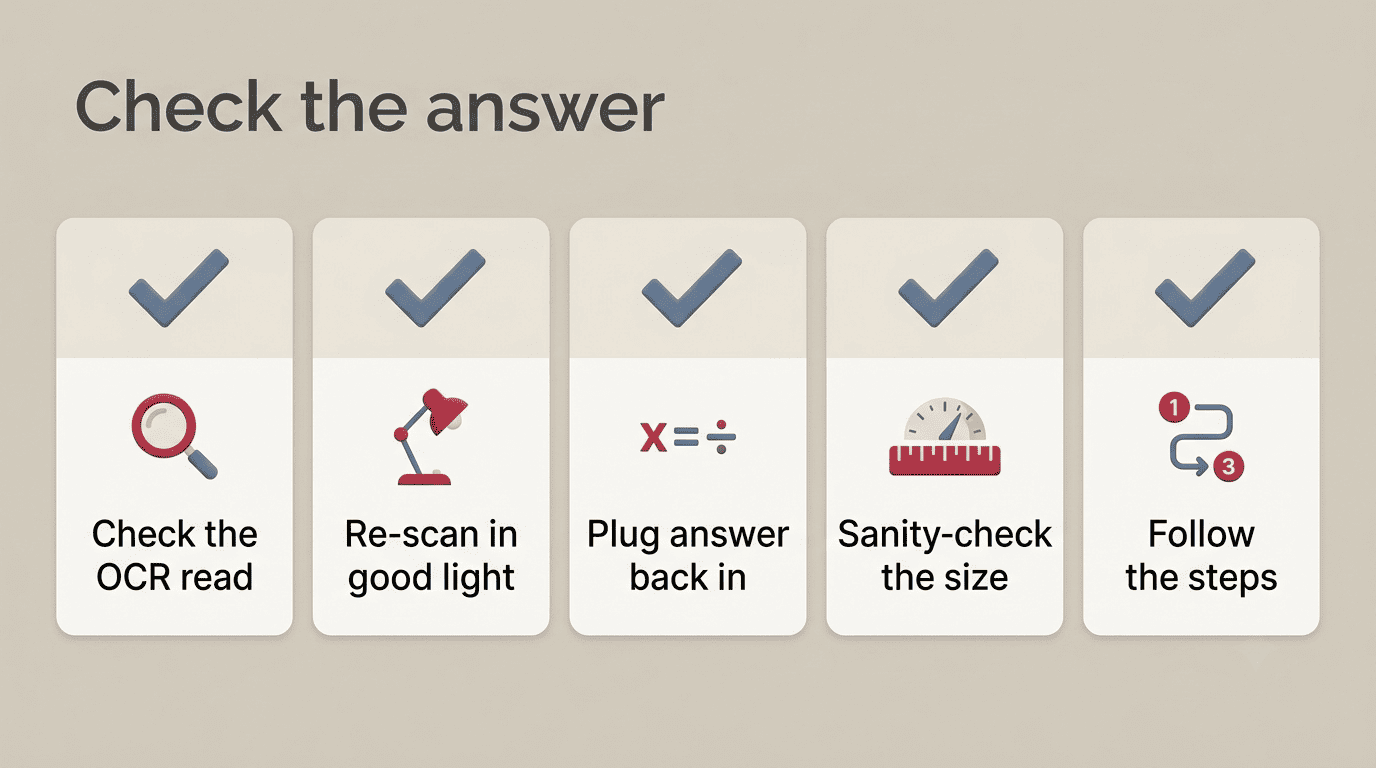
- Did the OCR read it right? Compare the recognized problem text against your original photo before trusting the solution.
- Re-scan in good light if the recognized problem looks garbled or the numbers seem off.
- Plug the answer back into the original equation to confirm it actually checks out.
- Sanity-check the magnitude — does the size of the number make sense for the question being asked?
- Ask for the steps and follow the logic yourself, rather than accepting the final answer alone.
When to get a human
If two different tools disagree, if the topic is a geometry proof or diagram-heavy problem, or if you genuinely don’t follow one of the steps, that’s the moment to ask a teacher or tutor. A scanner is a solid starting point — it isn’t the final word.
Privacy: What You’re Actually Uploading
Most of these tools work without an account, which is convenient — but it’s still worth knowing what you’re sending and where it goes.
Quick privacy checklist
- Avoid photographing pages that show your full name, address, or a classmate’s work in the frame.
- Prefer no-sign-up tools for one-off problems so you’re not creating an account you’ll forget about.
- Check whether the service stores your uploads — the answer is usually in its privacy policy, and it’s worth a skim before you rely on a tool regularly.
- Skip uploading assignments your teacher has explicitly marked “no AI.”
Use It to Learn, Not to Copy
None of this is complicated ethics — it comes down to what you do with the answer once you have it.
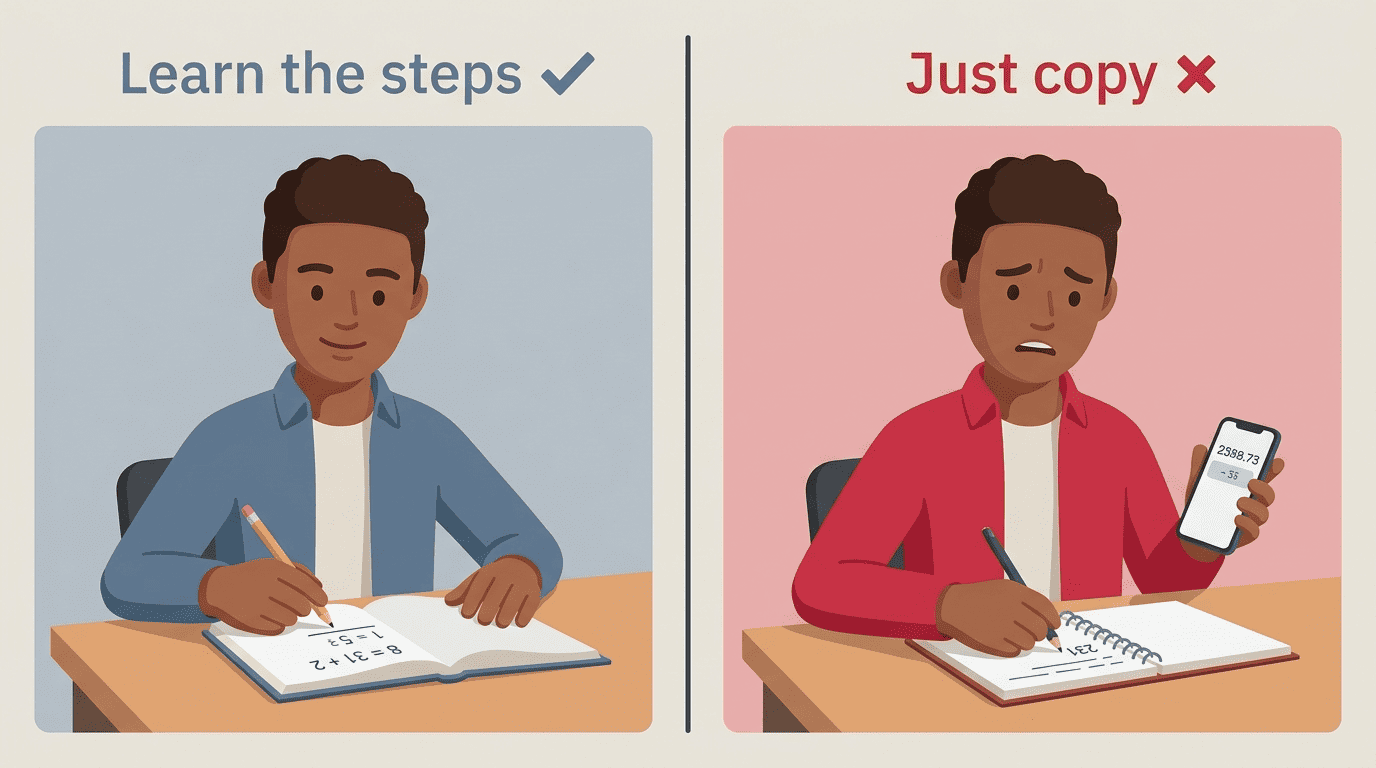
DO: reveal steps one at a time. Try the problem yourself first, then check your work against the tool’s solution rather than reading the answer before you’ve attempted anything.
DO: use it to get unstuck, not to skip the problem. If you’re stuck on one step, that’s exactly what the explanation mode is for.
DO: redo a similar problem on your own afterward. That’s the real test of whether the steps actually sank in.
DON’T: paste in an answer you can’t explain. If you can’t walk a friend through why the answer is correct, you haven’t learned it yet.
DON’T: use it on a graded, no-AI assignment. Read the assignment rules — many teachers are explicit about this, and it’s an easy rule to follow.
DON’T: skip the reasoning to save time. The exam won’t have your phone next to it, and that’s the whole point of practicing with the steps visible. For a broader take on why this matters, Wikipedia’s overview of academic integrity is a useful starting point. Used this way, AI homework help turns into a study habit instead of a shortcut.