
AI Homework Planner: Build a Realistic Study Schedule and Actually Beat Deadlines
An AI homework planner takes the pile of assignments in your head and turns it into a calm, realistic weekly plan — with a smart homework AI assistant, you paste in your deadlines and it maps out what to do when. According to the American Psychological Association, even brief mental blocks from switching between tasks can cost up to 40 percent of someone’s productive time, which is exactly the kind of waste a planner is built to prevent. Yes, AI can genuinely build a homework schedule, break big projects into steps, and nudge you before things are due.
This guide shows exactly how to use one — from a weekly schedule to a priority order — and how to keep the plan realistic so you actually follow it. The goal is to help you understand and finish your own work, not to do it for you.

What an AI Homework Planner Actually Does
A regular to-do list tells you what to do. An AI homework planner tells you when to do it, and it does that by reading your actual workload instead of waiting for you to type it in by hand. You can photograph a syllabus and let optical character recognition pull out the assignments and dates — OCR handles printed text well above 95% accuracy, while handwritten notes vary much more widely, often 60–90% depending on legibility and the tool. That single step of parsing a syllabus typically saves a student 20-30 minutes at the start of a semester, compared with copying every date into a calendar by hand. Once the AI study planner has your workload, it can also connect to your learning management system — Canvas and Google Classroom sync are the most common — so new deadlines flow in automatically instead of getting missed in an email.
From a messy to-do list to an organized plan
The difference shows up the moment you have more than three or four things due in the same week. A plain list just sits there, growing longer, while a smart planner for students orders everything by date, flags what’s overdue, and quietly reshuffles when something new gets added. That reordering is the actual work of planning — deciding when a task happens, not just noting that it exists.
Planner vs. solver — know the difference
A homework planner app organizes and prioritizes your work; it does not write your essay or solve your problem set for you. That distinction matters for academic honesty: a good AI homework helper explains steps and structures your time so you understand the material and hit the deadline, not so you can turn in someone else’s answers. Used this way, it’s closer to a study coach than a shortcut.
| Feature | Paper planner | Generic to-do app | AI homework planner |
|---|---|---|---|
| Tracks deadlines | Manual entry | Manual entry | Auto-imports from syllabus/LMS |
| Reorders by priority | No | Rarely | Yes, automatically |
| Breaks projects into steps | No | No | Yes |
| Sends reminders | No | Basic | Smart, timed reminders |
| Adapts when you fall behind | No | No | Rebuilds the schedule |
Build a Realistic Weekly Study Schedule
Give the assistant a full picture of your week and it can turn that raw information into an actual study plan, the same way a good academic advisor would — except it updates instantly instead of once a semester. Matching task difficulty to available time blocks and protecting focus periods from interruption — core ideas covered in Wikipedia’s overview of time management — is exactly what a weekly AI study schedule generator is designed to do.
Give the AI the right inputs
The quality of the schedule depends entirely on what you tell it. Before you generate a plan, gather:
- Your fixed commitments — classes, work shifts, practice, or club meetings
- Every assignment and its exact due date
- A rough difficulty rating for each subject or task
- The hours of day when you’re actually productive (morning person vs. night owl)
The more honest that input is, the more realistic the resulting schedule will be — a planner built on wishful thinking about your free time just creates a plan you’ll abandon by Wednesday.
Let it time-block your week
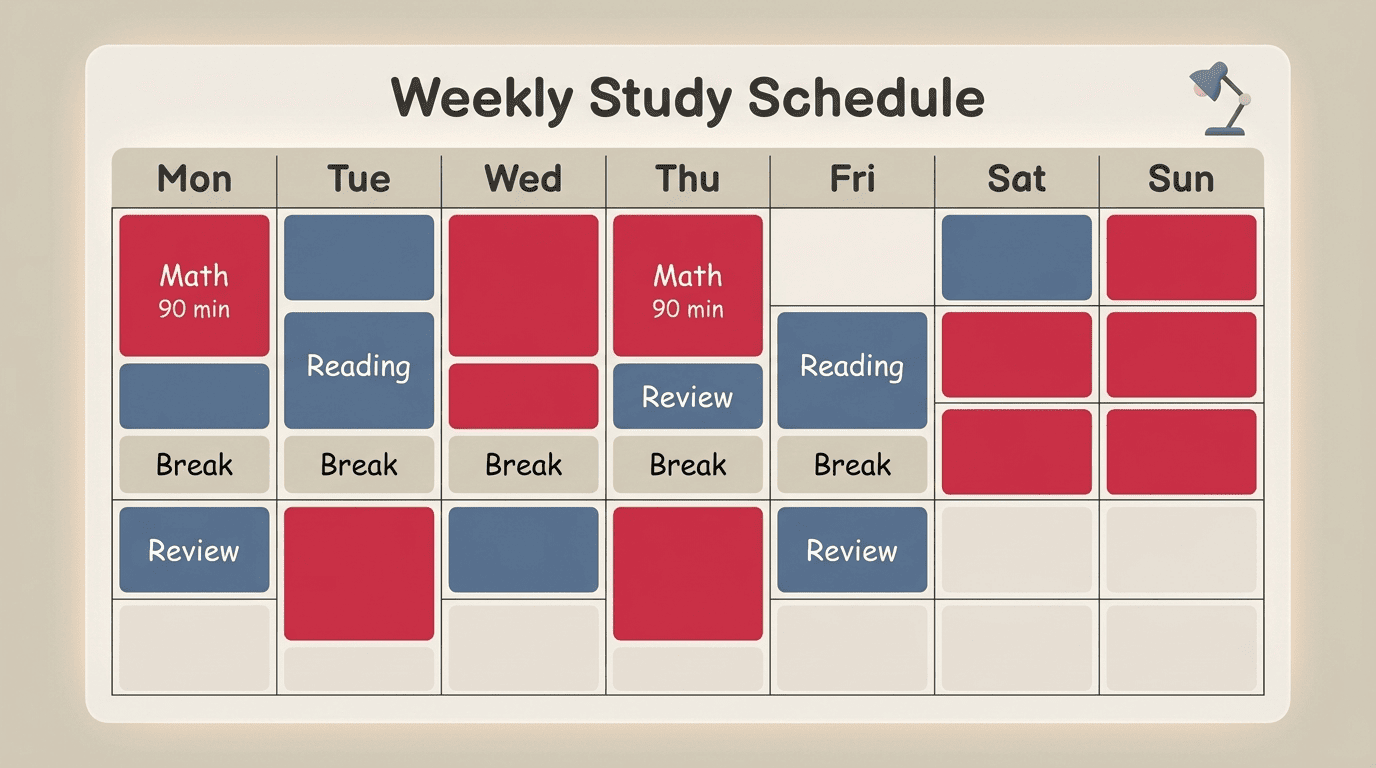
Time blocking means every task gets its own slot on the calendar instead of floating on a list. For heavier quantitative subjects like math or physics, focus blocks of around 90 minutes tend to work better than trying to grind through a task in one long marathon or in scattered five-minute bursts. An AI homework planner places those blocks inside your stated productive windows and can sync directly with Google, Apple, or Outlook Calendar, so the plan lives where you already check your day. A typical week might include a 90-minute physics block right after your most alert morning hours, a 45-minute reading block before dinner, and a short review block just before bed.
Keep buffer time and breaks
A schedule packed with zero slack looks great on paper and falls apart the first time something runs long. Realistic time-management planning builds in room to breathe:
- Cap any single subject at roughly three focused hours before requiring a real break
- Leave at least one buffer slot per day for whatever went sideways
- Add a full cushion day before any major deadline, not the night before
Break Big Projects Into Steps
A vague, giant task like “write an 8-page essay” tends to freeze people, because there’s no obvious first move — the brain has nothing small enough to grab onto. Breaking tasks into steps solves that by turning one intimidating deadline into a short chain of concrete actions, each small enough to actually start.
Why one huge task freezes you
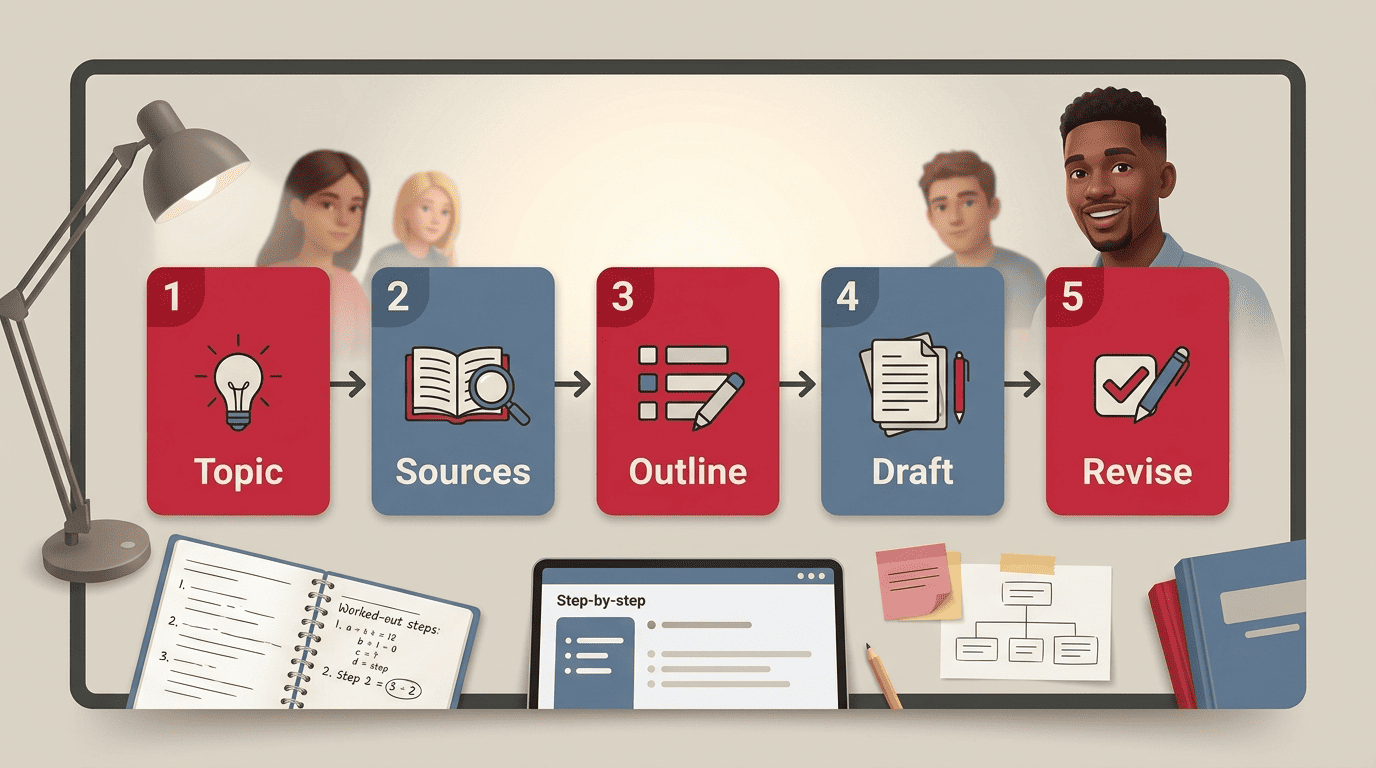
This is the mechanism behind most last-minute all-nighters: the assignment sat untouched for two weeks not because the student didn’t care, but because “write the paper” never turned into a real first action. Tools built around this idea, such as Trevor AI’s task planning for students, typically split a project into around five manageable steps and estimate how long each one will actually take, which turns the paralysis into a checklist.
Ask the AI to make a step-by-step plan
For an essay assignment, a reasonable AI-generated breakdown looks like this:
- Pick and narrow the topic
- Gather five credible sources
- Write a thesis statement and rough outline
- Draft the paper section by section
- Revise and format the citations
Each of those becomes its own task in the schedule, with its own mini-deadline set earlier than the final due date — so falling behind on step 2 doesn’t automatically mean an all-nighter on step 5.
Backward planning from the due date
The AI works backward from the date the assignment is actually due, then figures out what day each step needs to be finished by so nothing collides with the deadline itself. If a paper is due on the 20th, the planner might set the outline for the 10th, the full draft for the 16th, and revisions for the 19th — mini-deadlines that exist purely to keep the real one from sneaking up on you.
Prioritize by Deadline and Importance
Not every assignment carries the same weight, and a good AI assignment tracker sorts by both when something is due and how much it counts. A 5% homework check and a 30% midterm exam due the same week are not equally urgent, even if their calendar dates look similar.
Sort by what’s due and what weighs most
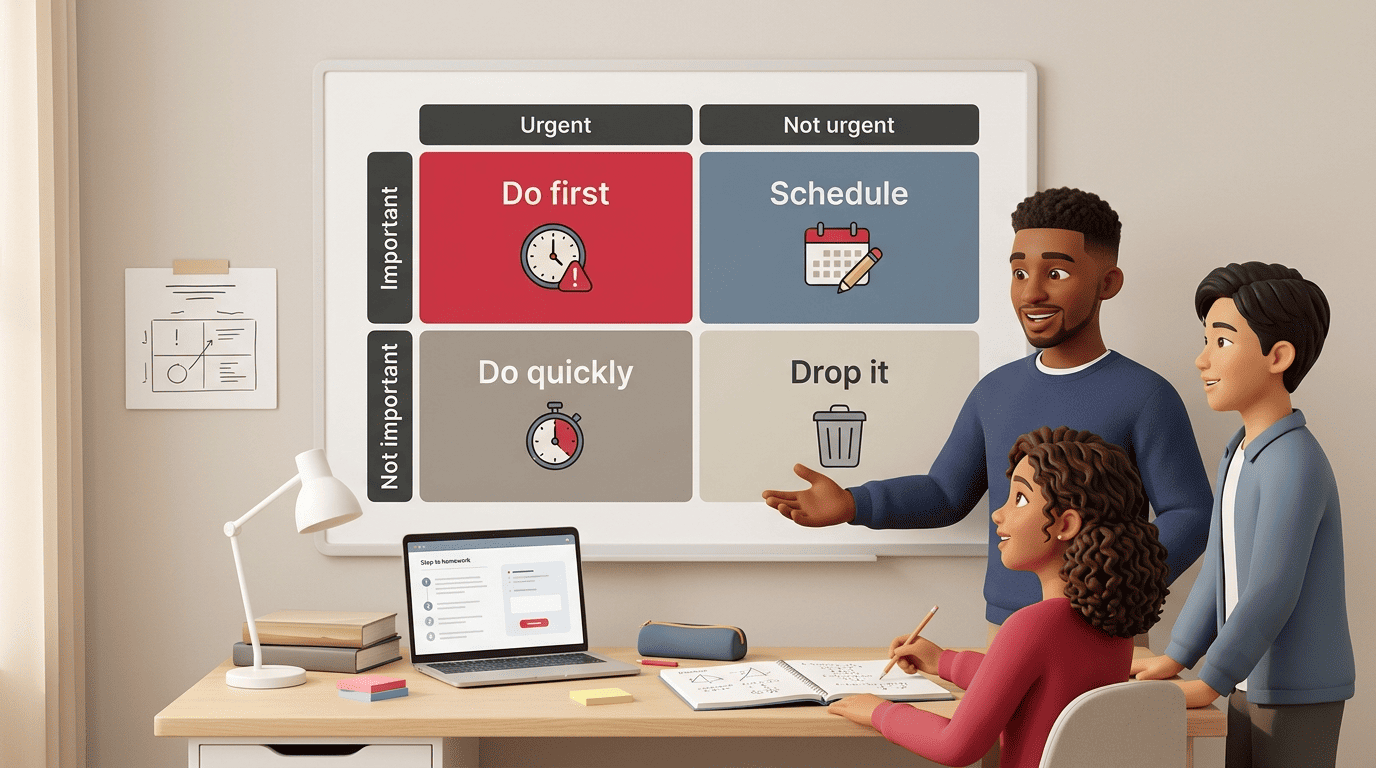
This is where the Eisenhower Matrix, a classic prioritization framework, fits naturally into an AI-built schedule:
- Urgent and important — do these first (a paper due tomorrow worth 25% of your grade)
- Important, not urgent — schedule these deliberately (studying for an exam three weeks out)
- Urgent, not important — handle quickly or hand off (a low-stakes daily quiz)
- Neither urgent nor important — cut it from the plan entirely
An AI homework planner can apply that same logic automatically, ranking assignments by combined deadline pressure and grade weight instead of just chronological order.
One thing at a time — reminders that fit
The American Psychological Association’s research on multitasking is blunt about the cost of splitting attention.
Even brief mental blocks created by shifting between tasks can cost as much as 40 percent of someone’s productive time.
American Psychological Association
That’s the argument for one block, one task — no toggling between three assignments in the same hour. Smart reminders reinforce the habit without nagging: a ping when the assignment is first posted, another 48 hours before it’s due, and a final one the evening before.
Time-Management Techniques Your AI Planner Can Apply
A weekly schedule is the frame; specific study techniques are what fill it. An AI-powered homework planner can weave several proven methods into the same calendar without you having to research or apply them manually.
| Technique | What it is | How the AI applies it |
|---|---|---|
| Time blocking | Dedicated calendar slots for one task | Auto-schedules tasks into open windows |
| Pomodoro (25/5) | 25 minutes focused, 5-minute break | Used for short, low-friction tasks |
| 90-minute focus blocks | Longer uninterrupted sessions | Reserved for dense subjects like math or physics |
| Spaced practice | Short reviews spread across days | Distributes review sessions before a test |
Time blocking and the Pomodoro rhythm
The Pomodoro Technique — 25 minutes of focused work followed by a 5-minute break — suits short, easily interrupted tasks like flashcard review or reading a chapter summary. The heavier 90-minute blocks are reserved for tasks that need real momentum to get through, like working a set of calculus problems. A planner can alternate the two across a single day so neither your attention nor your motivation runs out.
Spaced practice beats cramming
Spaced repetition means reviewing material in short sessions spread across several days instead of cramming the night before a test — and it’s one of the better-documented study techniques around. An AI study planner can distribute those short reviews automatically in the days leading up to an exam instead of leaving it to memory. It’s also worth pairing with handwritten notes: an influential but contested 2014 study — Mueller & Oppenheimer, “The Pen Is Mightier Than the Keyboard,” Psychological Science 25(6), 1159–1168 — linked writing notes by hand, rather than typing them, to better retention of the material. Treat it as suggestive rather than settled: a 2019 replication (Morehead, Dunlosky & Rawson, Educational Psychology Review) failed to reproduce the effect and questioned how robust it is.
Beat Procrastination and Keep the Plan Realistic
Even the best-built schedule is useless if the plan itself is what triggers avoidance. This is where an AI homework planner earns its keep — not by nagging harder, but by making the first move small enough to actually take.
Start tiny to unfreeze
Freezing up — task paralysis — in the face of a large assignment is common; many students report feeling overwhelmed when a project looks too big to start. One reliable fix is asking the AI for just the first 10-minute step instead of the whole task; starting is usually what breaks the freeze, not motivation. A few tactics worth combining with that first step:
- The two-minute start — commit to just two minutes, then reassess
- Body doubling — work alongside someone else, even virtually, to hold focus
- A small reward built into the schedule after each completed block
Adjust when life happens
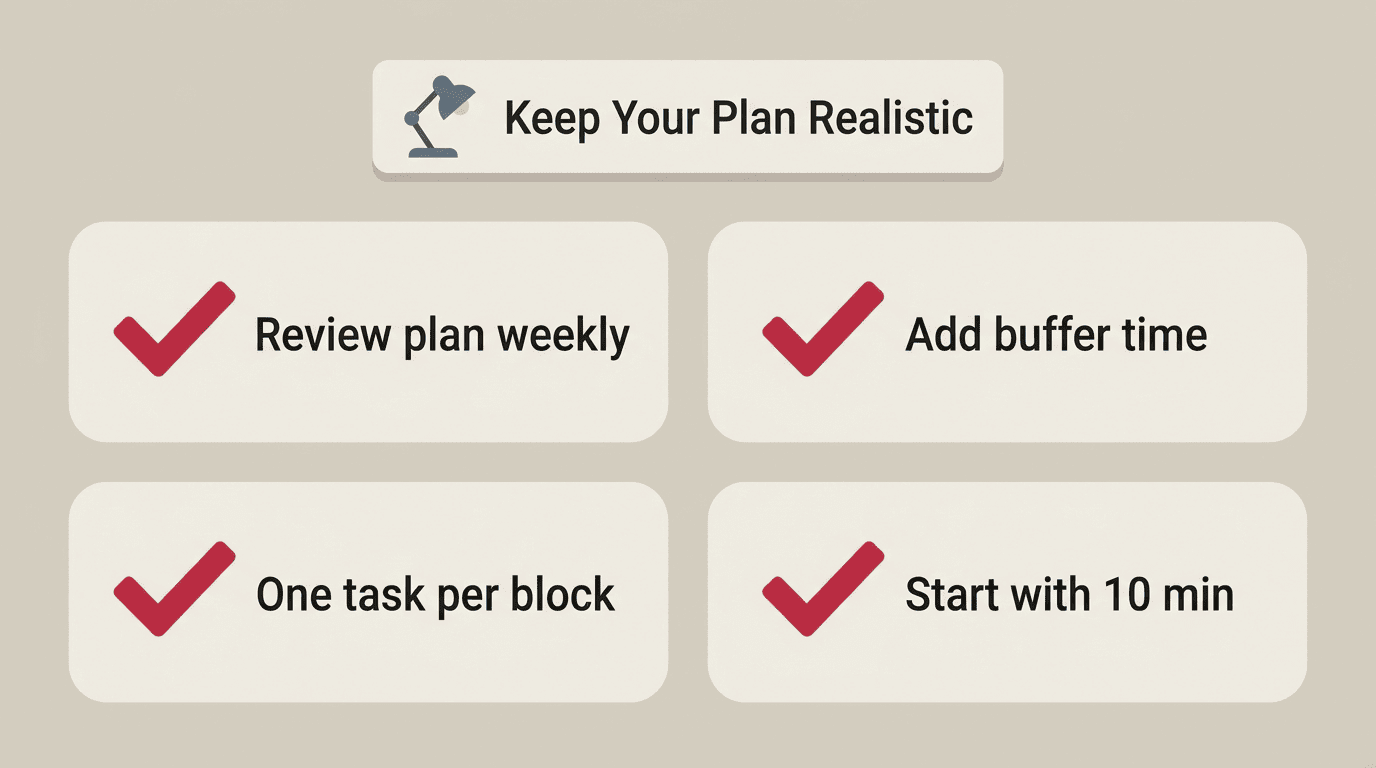
A study plan is a living document, not a contract. If you fall behind, the AI can rebuild the schedule in seconds — shifting blocks, trimming anything non-essential, and protecting the actual deadlines. A realistic plan you’ll follow beats a perfect one you’ll abandon. To keep it that way:
- Review the plan once a week, not just when it breaks
- Estimate task time honestly, then add a margin
- Always leave a buffer before the next deadline hits
The honest way to use it
Used well, an AI homework helper organizes your time and explains the steps — the actual work stays yours. That’s also the version of this tool that holds up over a semester: it raises your grades because you understood the material and hit your deadlines, not because something else did the assignment for you. If you want a second layer of support for the harder parts of a subject, an AI homework help assistant can walk through the reasoning behind a problem while the planner keeps the calendar on track. Together, a homework planner AI for scheduling and a subject-focused assistant for understanding cover both halves of what makes homework stressful in the first place.
Related homework help guides
- AI homework help
- Using an AI homework helper
- Free AI homework helper
- Compare the best AI for homework